
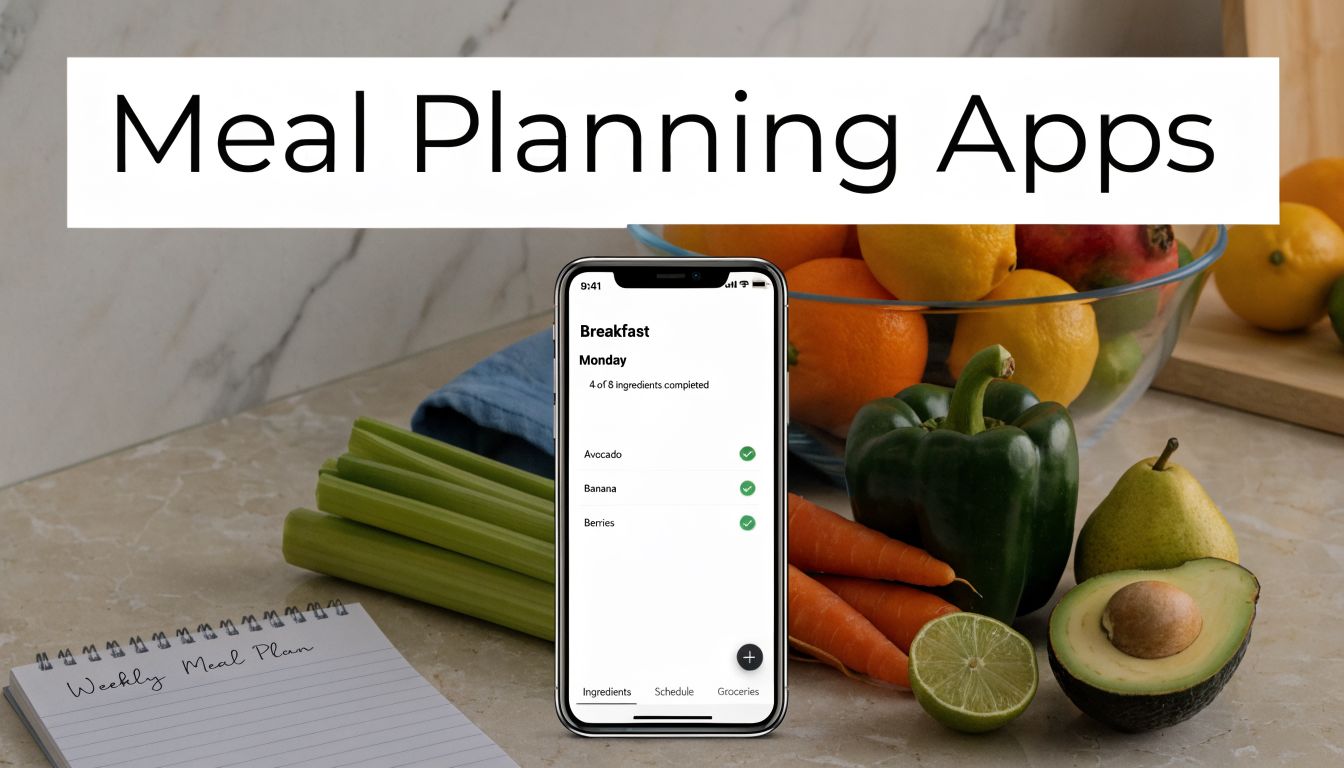
Those who search for The Best Meal Planning Apps for Lose Weight often find themselves in the same loop. They start with good intentions, buy healthy groceries, log meals for a few days, then quit when planning, tracking, and cooking turn into a second job.
The apps that help with weight loss don't just show recipes. They reduce friction, make calorie control easier, and stop the small daily decisions that usually derail a diet.
What Are The Best Meal Planning Apps for Losing Weight?
The best meal planning apps for losing weight are the ones that combine accurate nutrition tracking, personalized meal suggestions, and enough automation to keep you consistent. Strong options include Noom for behavior change, Cronometer for verified nutrition data, and automated meal-planning tools that generate weekly plans and grocery lists around your calorie target. Meal planning has become mainstream, with the market projected to surpass $15 billion and 29% of people in the US planning meals weekly for health benefits, according to Zazz.
A lot of weight-loss advice still acts like success comes down to willpower. In practice, many individuals struggle because the process is too messy. They don't know what to eat, they underestimate portions, they get bored, or they give up after one busy week.
That's why meal planning apps matter now more than they did a few years ago. The category has exploded, but the quality gap is real. Some apps are basically recipe folders with pretty photos. Others are full systems that can help you plan meals, shop once, hit your calories, and keep going when life gets chaotic.
Practical rule: If an app makes you do too much manual work, most users won't stick with it long enough to lose weight.
The useful way to judge these apps isn't by how many features they advertise. It's by whether they solve the failure points that stop weight loss in real life: inaccurate logging, decision fatigue, weak adherence, and poor meal structure.
How Do Meal Planning Apps Actually Help You Lose Weight?
Monday starts well. By Thursday, lunch is whatever is nearby, dinner turns into takeout, and calorie tracking becomes a rough guess. That pattern is why many weight-loss attempts stall. The problem is rarely motivation alone. It is friction, bad estimates, and too many food decisions in a busy week.

Meal planning apps help by turning fat loss into a repeatable system. Weight loss still depends on a consistent calorie deficit over time, but consistency is where manual dieting breaks down. If you need the basics first, this calorie deficit meal plan guide explains the mechanism. A good app handles the parts people get wrong in real life: portion planning, meal selection, shopping, and adherence.
They make calorie control more accurate
Many users can explain calories. Far fewer can estimate them well enough, meal after meal, for months.
A solid app closes that gap with pre-portioned meals, saved recipes, and clearer nutrition data. Instead of building each day from scratch, you start from meals with known calories and protein totals. That reduces the two errors I see most often in testing: underestimating portions and forgetting the small extras that push intake up.
The effect is simple. Better estimates produce better intake control.
They reduce the decisions that cause diet drift
Logging is useful, but logging alone is reactive. It tells you what happened after you ate. Meal planning changes the part that matters more for weight loss. It decides breakfast before you're rushed, lunch before you're hungry, and dinner before willpower is low.
Apps such as Mealime and Eat This Much are useful for this reason. They automate meal selection, build shopping lists, and let users swap meals without rebuilding the whole week. That saves time, but the bigger benefit is behavioral. Fewer decisions usually means fewer off-plan meals.
This is one place where AI features can help. The useful kind is not flashy chatbot copy. It is automation that adjusts calories, preferences, and portions without making users do manual math every day.
They improve adherence by making meals more satisfying
Low-calorie plans fail fast when meals are too small, too repetitive, or too low in protein and fiber. The better apps help users stay full enough to continue the plan next week, not just hit a target on Tuesday.
Features that support this include:
- Protein-aware meal planning so calorie cuts do not turn into hunger
- Recipe swaps that keep variety high without blowing the day's target
- Grocery lists that match the plan, so the right foods are in the house
- Ingredient reuse that lowers waste and makes cooking easier on busy weeks
In practice, adherence improves when planning, shopping, and tracking happen in one workflow. If those pieces live in separate tools, users drop steps and accuracy falls.
The real benefit is consistency, not novelty
Some apps win attention with community features, habit streaks, or polished recipe photos. Those can help, but they are secondary. For weight loss, the highest-impact features are the ones that lower logging error, cut decision fatigue, and keep the plan realistic enough to repeat.
| Priority | Feature | Why it matters |
|---|---|---|
| Must-have | Accurate calorie and nutrition data | Wrong entries lead to wrong intake targets |
| Must-have | Personalized calorie-aware meal planning | Generic meal ideas break down quickly |
| Must-have | Fast logging and easy meal swaps | High friction lowers adherence |
| Nice-to-have | Pantry suggestions | Useful, but not a major driver of fat loss |
| Nice-to-have | Wearable syncing | Helpful for some users, not required |
| Nice-to-have | Social/community tools | Motivating for certain users, irrelevant for others |
The short version is practical. Meal planning apps help users lose weight when they remove avoidable mistakes from dieting. The strongest ones do not just track food. They make the right choice easier to repeat.
What Key Features Should You Look For in a Weight Loss App?
If I had to cut through all the app-store fluff and judge a weight-loss app on a few criteria, I'd start with database accuracy, then move to automation, then ease of adherence. In that order.
A lot of people shop for these apps backwards. They pick the one with the prettiest recipes or the biggest community, then realize the nutrition data is shaky and the planning tools are clunky. That's how users end up "tracking" consistently while not effectively controlling intake.
Why database accuracy isn't optional
The food database is the foundation. If the calories and macros are wrong, the rest of the app doesn't matter.
Fortune notes that Cronometer verifies entries against official USDA sources and manufacturer labels, while MyFitnessPal's broader database includes unverified user entries that can be significantly inaccurate, which can throw off calorie intake and undermine weight loss efforts, according to Fortune's review of calorie counter apps.
That trade-off is real:
- Big database advantage means you can usually find any branded food quickly.
- Verified database advantage means the numbers are more trustworthy.
- Best choice for fat loss usually depends on whether you value speed or precision more.
For users who repeatedly "do everything right" and don't see progress, database quality is one of the first things I'd question.
What actually makes an app usable every week
The second layer is usability. A weight-loss app needs to survive your busiest days, not just your motivated days.
Look for these functions:
- Barcode scanning because manual entry gets old fast
- Custom calorie and macro targets so the plan fits your goal
- Automated grocery lists that reflect the exact meals selected
- Meal swaps when you don't want what the app suggested
- Progress views for weight, consistency, and intake patterns
This is also where automation starts to beat manual systems. The more steps you have to do yourself, the more likely you'll stop doing them.
One modern option in this category is AI Meal Planner tools, which focus on generating meal structures, macros, and grocery lists from a user's stated goals and preferences instead of making them build everything manually.
What works in practice: The best app is usually the one that shortens the gap between "I should eat well this week" and "my plan is already built."
The emerging features worth watching
Some new features are useful. Some are gimmicks. The ones worth paying attention to are the ones that reduce manual effort without reducing control.
The most promising examples are:
Photo-based food logging Faster than typing every ingredient, especially for mixed meals.
Adaptive planning Better than static templates because your appetite, schedule, and routine change.
Nutrition gap analysis Helpful for users who don't just want lower calories, but better diet quality.
If you coach clients, run nutrition programs, or create and sell fitness packages, these features matter even more because they affect compliance at scale. People rarely quit because they hate the goal. They quit because the workflow is annoying.
AI Meal Planner The Best Choice for Automated Weight Loss
If your biggest problem is not motivation but execution, automation matters more than coaching. Some users know exactly what they should do. They just don't want to spend their evenings calculating portions, building grocery lists, and reshuffling meals every time the week changes.

That is where an app like AI Meal Planner fits. It generates weekly meal plans based on goals, preferences, allergies, and diet style, then builds grocery lists around those choices. For weight loss, that kind of workflow is often more useful than a traditional tracker because it answers the harder question first: what are you going to eat?
Why automation helps some users more than education
The main strength of AI-driven planning is that it removes repeated manual decisions. You don't need to assemble every day from scratch. You set constraints, review the plan, swap what you dislike, and follow a structure that's already tied to calories and macros.
The deeper reason this can work well is adaptability. AI diet planning systems can use machine learning to analyze user data, predict food choices that support weight management, and even adjust macro targets using wearable inputs such as activity and sleep, according to Aalpha's explanation of AI diet planner development. That's more useful than static meal templates because weight loss rarely happens in a perfectly stable routine.
A rigid meal plan often breaks for ordinary reasons:
- Work gets busy and cooking time disappears
- Hunger shifts and the meals stop feeling satisfying
- Activity changes and intake needs a small adjustment
- Preference fatigue kicks in and repetition becomes a problem
Adaptive planning doesn't solve all of that automatically, but it's much better suited to real life than fixed PDFs and spreadsheet dieting.
How it compares with Noom's model
Noom is strong when a user needs habit coaching, reflection, and daily behavior prompts. AI-first planners are stronger when the user's main friction is logistics. That's an important distinction because people often choose the wrong category of app for the problem they have.
If someone says, "I know what to do, I just never have a plan," automation usually wins.
If someone says, "I keep emotionally eating or abandoning the process," psychology support may win.
To look at it practically:
| If your main issue is... | Better fit |
|---|---|
| Not knowing what to cook | Automated planner |
| Grocery shopping without structure | Automated planner |
| Repeating the same meals and getting bored | Automated planner with swaps |
| Emotional eating patterns | Noom-style coaching |
| Wanting lessons and accountability | Noom-style coaching |
For readers who want a closer look at AI-guided nutrition logic, an AI nutritionist platform shows how these systems are moving beyond static recipe libraries.
Here is a quick visual walkthrough of the broader concept in action:
What it gets right and where to be careful
What works well in this model is convenience tied to structure. The strongest benefit isn't novelty. It's that a user can move from goal-setting to a usable weekly plan quickly, with less room for decision fatigue to take over.
Still, automated planners aren't ideal for everyone. Some users want full control over every ingredient and prefer a highly manual app like Cronometer. Others want a coaching relationship and daily mindset content, which a planner won't replace.
Use this category if you want:
- A complete weekly plan instead of piecing meals together
- Smart grocery support linked to the plan
- Flexible swapping without rebuilding the week
- A lower-effort system that feels sustainable on busy schedules
Skip it if you enjoy detailed manual logging and want to audit every micronutrient yourself.
Noom Best for Psychology-Based Weight Loss
Noom works best for people who don't need more recipes. They need a better handle on their eating patterns.

Its core value isn't meal automation. It's behavior change. Noom has been recommended as the best overall calorie counter app for 2026 in the source cited earlier, and that fits how it positions itself: part tracker, part education system, part accountability tool. The app pushes users to think about food choices, triggers, and habits instead of only chasing numbers.
Who Noom helps most
Noom is a good fit when the barrier is psychological rather than logistical.
Examples:
- You overeat during stress, even when healthy food is available
- You start diets well, then drift once motivation drops
- You want coaching prompts and daily lessons, not just meal suggestions
- You need accountability more than recipe automation
The color-coded system is useful for some users because it teaches calorie density in a way that's easier to grasp than raw macro math. That doesn't make it superior for everyone, but it can be more approachable for beginners who feel overwhelmed by detailed nutrition labels.
Noom is less about building the perfect week of meals and more about changing the pattern that keeps breaking your week.
The trade-off against data-first apps
The limitation is straightforward. If you want highly automated meal planning, Noom isn't the strongest option. It doesn't replace a dedicated planning tool that generates your week, reuses ingredients, and keeps shopping tightly linked to your calorie target.
It's also not the cleanest fit for users who want extreme nutrition precision. Those people tend to be happier in Cronometer, where the logging environment is more exact and less behavior-focused.
Choose Noom if your issue is consistency of mindset.
Look elsewhere if your issue is execution friction.
Cronometer Best for Precision Macro and Micronutrient Tracking
Cronometer suits the user who gets frustrated by messy nutrition data. If calorie targets are tight, a sloppy database can erase the deficit you thought you were following. I recommend Cronometer most often to people who have already learned that logging consistency matters, and now need logging accuracy.
That distinction matters for weight loss. Many apps help users record food. Fewer help them record it with enough precision to spot why progress stalled. Cronometer's strength is the quality of its food database, plus unusually detailed tracking for macros and micronutrients.
Why precision changes results
Weight loss usually breaks down in small ways, not dramatic ones. A mislabeled entry here, a restaurant estimate there, a "healthy" snack that looks lighter in the app than it is in real life. Over a week, those misses can wipe out the calorie gap.
Cronometer reduces that problem better than many mainstream trackers because the logging environment feels tighter and more controlled. That makes it especially useful for:
- Macro-focused users trying to lose fat without giving up muscle
- Lifters and endurance athletes who need protein, carbs, and recovery nutrition dialed in
- People with restrictive diets who want to monitor nutrients beyond calories
- Experienced trackers who are tired of crowdsourced entries that vary wildly
It also surfaces a layer many weight loss apps barely touch. Micronutrients. That will not matter equally to everyone, but it matters a lot if dieting leaves you low on fiber, iron, magnesium, or protein and you end up hungry, tired, or less consistent.
Where Cronometer helps, and where it creates friction
Cronometer is a data tool first. That is both its advantage and its limitation.
If your main failure point is inaccurate tracking, Cronometer can fix a real problem. If your main failure point is deciding what to cook on Wednesday night, it may feel like work added on top of work. It does not remove meal decisions the way automated planners do.
That is the practical split:
| App type | Best for |
|---|---|
| Cronometer | Precise logging, nutrient analysis, tighter calorie control |
| Meal planning apps | Users who want weekly meal suggestions and easier grocery execution |
| Auto-generated planners | Users who want calories and macros translated into actual meals |
| Recipe organizer apps | Users who already know what they like to eat |
This is why I rarely suggest Cronometer as a first app for every dieter. I suggest it for the user who wants to know whether they are precisely eating 1,800 calories, not roughly eating 1,800 calories. That difference sounds small. In practice, it is often the difference between "I am doing everything right" and "my logging is off by 300 calories a day."
Cronometer is one of the strongest picks in this category for high-accuracy tracking. Users who want maximum automation usually do better with a planner that turns targets into meals and shopping lists. Users who want clean data, nutrient detail, and tighter control will usually appreciate Cronometer more.
How Can You Integrate a Meal Planning App Into Your Life Sustainably?
The app matters, but the routine matters more. Individuals don't need a perfect system. They need one they can repeat on tired weeks, busy weeks, and messy weeks.

Start smaller than you think you should
A common mistake is planning every meal, every day, with total precision. That sounds disciplined. In practice, it's often too much friction at once.
A better rollout looks like this:
Plan only part of the week Start with the meals that usually go off the rails, often dinner and lunch.
Do one structured grocery shop Buy for the plan you already approved, not for vague healthy intentions.
Repeat a few anchor meals Variety is nice. Repeatability is what makes weight loss easier.
Log accurately when the day goes sideways One off-plan meal isn't the problem. Quitting after it is.
Use the app to shape the environment
The best use of a meal planning app isn't just informational. It's environmental. It changes what's in your kitchen, what gets prepped, and how many impulsive food decisions you're forced to make.
A simple habit stack works well:
- Pick meals on the same day each week
- Shop immediately after choosing them
- Prep at least one high-protein option in advance
- Keep one backup meal ready for nights when cooking won't happen
If you need a practical example of a simple repeatable meal, a high-protein chicken rice bowl recipe is exactly the kind of default lunch that supports consistency.
Build around boring reliability first. Add novelty later.
Watch the next wave without depending on it
Photo-based logging is becoming more useful because it cuts manual input. Good Housekeeping notes that AI photo-based logging can boost accuracy by 50% over manual journals, but most meal planners still haven't fully paired that with leftover-reuse AI for more sustainable planning, according to Good Housekeeping's food tracking app review.
That feature gap matters, but you don't need to wait for perfect software. Sustainable use still comes down to a few basics:
- Choose an app with low enough friction that you'll keep opening it
- Use meal swaps instead of abandoning the whole week
- Keep your plan realistic on social days and busy workdays
- Review patterns weekly instead of chasing daily perfection
The app should make your eating pattern easier to maintain. If it turns healthy eating into admin work, it's the wrong fit.
Frequently Asked Questions About Meal Planning Apps
Are free meal planning apps good enough for weight loss?
They can be, if the core tracking is accurate and the workflow is simple enough to use consistently. Paid apps usually become worth it when you need stronger automation, deeper personalization, or better behavior support.
What's better for weight loss, a calorie tracker or a meal planner?
A calorie tracker helps you audit intake. A meal planner helps you decide what to eat before hunger and convenience take over. Those who struggle with consistency often benefit more from planning than from logging alone.
Can meal planning apps work for vegan, gluten-free, or allergy-friendly diets?
Yes, if the app lets you filter ingredients, set dietary preferences, and swap meals easily. The important part isn't just having labels. It's whether the filters shape the weekly plan.
Do these apps help with grocery shopping too?
The better ones do. Grocery lists tied directly to selected meals are one of the most useful features because they turn a plan into something you can execute in one shop.
Which app is best if I want very accurate nutrition data?
Cronometer is the strongest fit for users who care most about verified nutrition entries and detailed nutrient tracking. It's especially useful for macro-focused users and anyone who doesn't trust crowdsourced food databases.
Which app is best if I keep quitting diets?
An app with behavior support or strong automation is usually the better choice. If you quit because of mindset, choose a psychology-based option like Noom. If you quit because planning feels exhausting, choose an automated planner.
Do meal planning apps reduce food waste?
They can, especially when they reuse ingredients across multiple meals and build grocery lists around the full week. Apps that treat recipes and shopping as one system tend to be more practical in real kitchens.
If you want a simpler way to turn calorie goals into an actual weekly eating plan, AI Meal Planner is built for that workflow. It creates personalized meals, organizes shopping, and reduces the manual planning work that usually makes weight loss harder to sustain.
AI-powered nutrition
Get Your Personalized Meal Plan
AI creates the perfect meals for your goals, lifestyle, and taste.
Start Your Journej