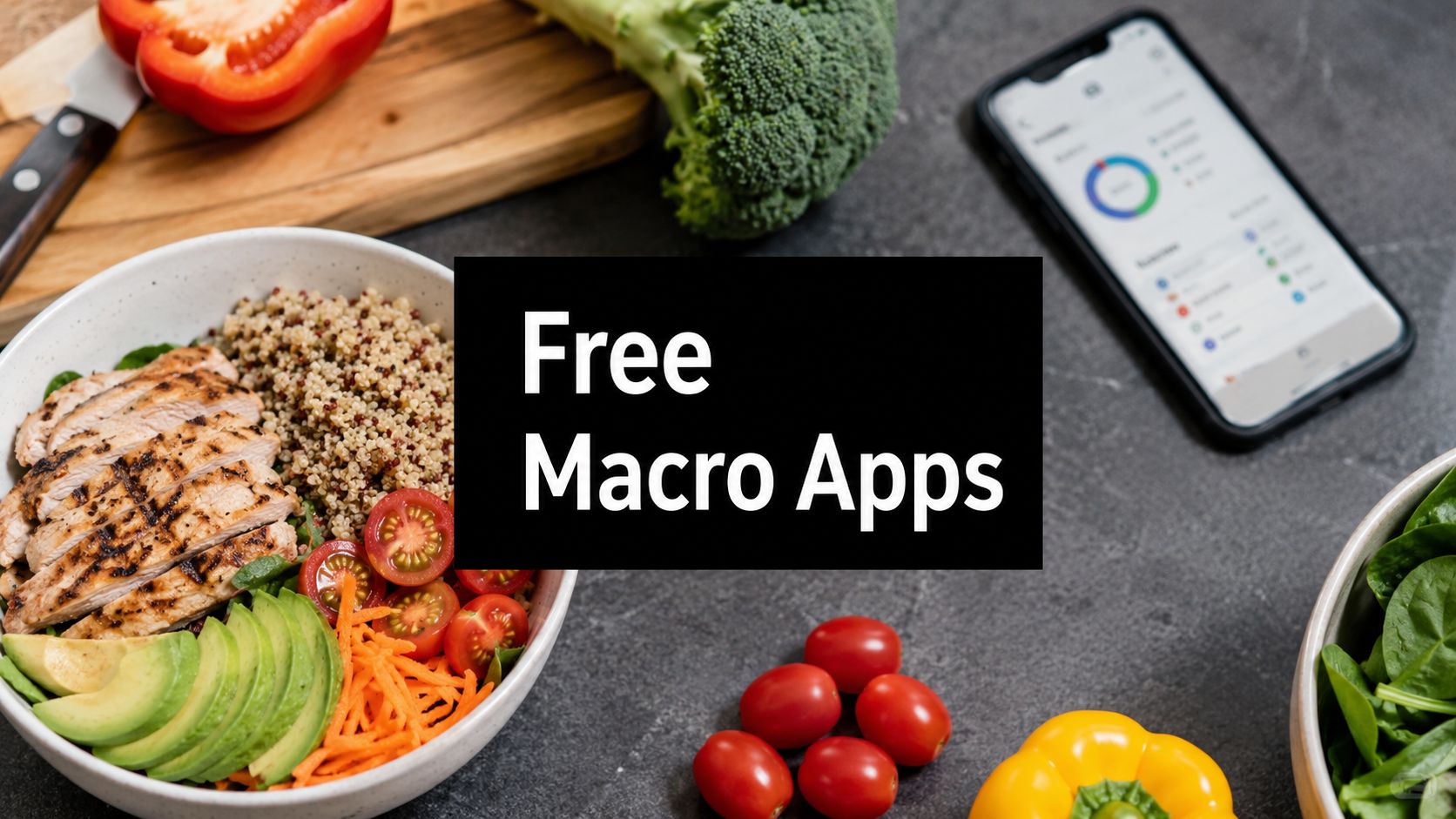
The ideal free macro tracking app is the one whose free tier still lets you log food, see protein, carbs, and fat clearly, and stick with it daily. If you want depth, Cronometer is the strongest free option for detailed nutrition; if you want a huge database, MyFitnessPal remains a major player with over 18 million foods according to Nourish's macro app comparison; if you want macro-based meal planning instead of manual logging, AI Meal Planner onboarding is a practical alternative.
The pursuit of a free macro tracking app often places users in a shared predicament. They want to eat better, hit protein, maybe lose fat or build muscle, and they don't want to discover on day three that the useful features are locked behind a subscription. That frustration is common because the category has matured into a freemium market, not a free one.
That matters more than most review lists admit. Eat This Much's pricing comparison lists Eat This Much at Free / $5 per month, Cronometer at Free / $59.99 per year, and MyFitnessPal at Free / $79.99 per year in its 2026 roundup of macro apps, which shows how standard the free-entry, paid-upgrade model has become in this space through Eat This Much's app comparison. If you're choosing well, you're not asking only which app is free. You're asking what stays useful before the upsell starts.
The broader category is still growing, too. Grand View Research values the global diet and nutrition apps market at USD 2.14 billion in 2024 and projects USD 4.56 billion by 2030, with a CAGR of about 13.3%, and says North America accounted for 36.4% of 2024 revenue in its diet and nutrition apps market report. So there are more options than ever, but the trade-off hasn't changed. The best free app is the one that removes enough friction that you'll log meals.
If you also care about wearables and daily tracking habits, this kind of decision fits the same broader category as practical advice for fitness tech. The difference is that nutrition apps fail or succeed mostly on usability, database quality, and whether the free tier still feels complete.
1. Cronometer

Cronometer is the app I point people to when they care about accurate tracking, not just fast tracking. If you're the kind of user who wants to know whether your protein target is on point and also whether your fiber, sodium, or key micronutrients are drifting, Cronometer gives you a stronger free experience than most mainstream apps.
Its free tier is practical for real use. You can log calories, macros, foods, recipes, and barcodes without the app feeling like a demo. That's important because many "free" apps technically let you log food, but hide the useful analysis that makes macro tracking worth doing.
Who should use Cronometer
Cronometer works best for people who want precision. That includes lifters in a cut, endurance athletes, keto users watching carbs closely, and anyone who wants more visibility than a simple calorie diary gives.
What works well in the free tier:
- Detailed nutrient view: You can see macro totals and much deeper nutrition detail than most general trackers.
- Strong logging tools: Barcode scanning, recipe creation, and custom foods make repeat logging easier over time.
- Cross-device use: Web and mobile sync makes it easier to stay consistent.
The trade-off is obvious after a day or two. Cronometer asks for more attention than a simpler app. That's good for accuracy, but not always good for adherence.
Practical rule: If you quit logging when an app feels fiddly, Cronometer may be too much app for your goal.
Ads on the free plan are tolerable, but the bigger limitation is cognitive load. This isn't the app I'd give someone who just wants to check if lunch had enough protein. It is the app I'd give someone who gets frustrated by vague numbers and wants a cleaner nutrition picture.
Use Cronometer if accuracy matters more than speed.
2. MyFitnessPal

MyFitnessPal is still one of the easiest apps to recommend to beginners because almost everyone can find their food in it. According to Nourish, MyFitnessPal has a database of over 18 million foods in its best macro tracking app guide. That size matters for practical use because if an app can't find what you ate, you stop using it.
The free version is useful, but you need to understand its ceiling before you commit. MyFitnessPal is very good at broad food coverage, familiar logging, and integrations. It's less generous if you want exact macro control.
Where MyFitnessPal helps and where it doesn't
For general dieting, the app works. You can log foods quickly, save meals, build recipes, and connect with a lot of other platforms. For macro-specific dieting, the free tier gets more limiting because percentage-based guidance is more accessible than gram-specific control.
That distinction matters. Many people don't need advanced macro setup at the start. They need a target, a consistent food log, and a way to learn where their protein is coming from. If that's you, MyFitnessPal still does the job.
A few practical realities:
- Best for food lookup: Brand-name and restaurant coverage is a major strength.
- Less ideal for strict macro plans: Important macro settings are easier to access once you pay.
- Good for ecosystem users: If you already sync workouts and health data elsewhere, MyFitnessPal fits in cleanly.
If you're not sure what your grams should be in the first place, start with a calorie and macro calculator before choosing an app. That's often more useful than downloading three trackers and guessing.
Use MyFitnessPal if database size and familiarity matter more than free-tier flexibility.
3. MacrosFirst

MacrosFirst takes a more direct approach. It feels built for people who already think in grams of protein, carbs, and fat, not just calories. That makes it a strong option if traditional calorie apps feel too general or too bloated.
Its best advantage is straightforward macro targeting in grams on the free tier. That's a meaningful difference because many apps are happy to let you "track macros" but less willing to let you set them precisely without upgrading.
Why MacrosFirst stands out
This app makes meal-level macro planning easier than many legacy tools. If you care about spreading protein across the day, or you want breakfast and dinner to look different on purpose, the interface supports that style of tracking better than a generic calorie-first app.
Useful strengths include:
- Gram-based macro goals: Better for people running a specific nutrition plan.
- Meal breakdowns: Easier to spot whether one meal is carrying too much fat or too few carbs.
- Modern macro focus: It feels more purpose-built than older all-in-one food diaries.
The downside is reach. A younger or smaller ecosystem usually means less database depth, fewer integrations, and more occasional manual cleanup. That's not a dealbreaker, but it is a real trade-off if you eat lots of packaged foods or restaurant meals.
For high-protein eaters, this app lines up well with a high-protein meal planning approach because it keeps the macro target visible instead of burying it under general wellness features.
MacrosFirst is a good fit when your top priority is hitting grams, not browsing lifestyle content.
4. Carb Manager

Carb Manager started with a clear audience, and that focus is still its edge. If you eat low-carb or keto, the app makes more sense immediately than a general calorie tracker because it treats carbs as a planning variable, not just one number in a summary.
The free version is usable for daily logging. You can track food, see macros, and keep an eye on net carbs without needing to upgrade on day one. That makes it one of the more practical niche options for people whose diet structure is already decided.
Best use case for Carb Manager
This is the app for users who don't want to fight the interface just to see carb data the way they think about it. If your main question every meal is "How many carbs does this leave me?" Carb Manager is better aligned than a generalist tracker.
Its free tier is solid for:
- Net-carb tracking: Useful for keto and lower-carb approaches.
- Basic macro logging: Enough for everyday adherence.
- Diet-specific context: The app's content and setup support the way low-carb users eat.
What doesn't work as well is neutrality. If you aren't low-carb, some of the app's emphasis may feel too narrow. And if you want deeper analytics, broader coaching, or advanced tools, those are pushed toward premium.
For keto users, friction isn't just logging speed. It's whether the app surfaces the right number first.
If your diet is carb-focused by design, a keto meal planning workflow can reduce the amount of manual fixing you do after logging. That's where Carb Manager users often hit the next need. Tracking is one thing. Building meals around those targets is another.
Use Carb Manager when low-carb structure matters more than broad mainstream coverage.
5. MyNetDiary

MyNetDiary sits in a useful middle ground. It feels cleaner and more polished than some older trackers, but it still gives enough nutrition detail to satisfy people who want more than a basic calorie count. For many users, that balance is exactly what keeps the habit going.
The free version covers the essentials well. You can log calories and macros, scan barcodes, track recipes, and keep a daily record without the app feeling stripped down.
Why some users stick with MyNetDiary
This is the app I often describe as quietly competent. It doesn't dominate the conversation the way MyFitnessPal does, but for plenty of people, it creates less friction and fewer annoyances.
What it gets right:
- Verified-entry mindset: That improves confidence when you're checking everyday foods.
- Functional free tier: Enough for normal macro tracking without constant frustration.
- Clean interface: Easier for users who want data without clutter.
The limitations are familiar. Some customization and automation tools sit behind paid plans, and feature differences across devices can be annoying if you expect exact parity. Still, if your goal is sustainable daily logging and a cleaner user experience, MyNetDiary deserves more attention than it usually gets.
If fat loss is your current target, pairing the app with a calorie deficit calculator can help you set a more realistic intake before you start logging.
MyNetDiary is a good choice for people who want a polished general tracker without jumping straight to the biggest brands.
6. YAZIO
YAZIO appeals to a different kind of user. It doesn't feel like a tool built only for macro obsessives. It feels built for people who want a cleaner health app that happens to include macro and calorie tracking.
That design matters because some users stick with a slightly less powerful app if it feels easier to open every day. YAZIO's interface is one of its strongest points, and for many people that's not cosmetic. It directly affects consistency.
Is YAZIO good enough for free macro tracking
For basic macro and calorie logging, yes. You can track intake, review your day, and keep momentum without paying immediately. The upgrade path is clear, and that's both a strength and a limitation.
YAZIO works well for:
- Users who value visual clarity: The app feels approachable from the start.
- People combining nutrition with broader habits: Recipes, fasting tools, and wellness features are part of the appeal.
- Beginners who dislike clunky interfaces: A smooth app usually gets used more often.
The catch is that some of the most attractive insights and extras live in PRO. If your goal is simple daily macro awareness, the free tier can be enough. If your goal is deeper analysis or guided structure, you may hit that wall sooner than expected.
YAZIO is best for people who want a modern wellness app first and a macro tracker second.
7. FoodNoms (iOS)

FoodNoms is one of the better examples of a lightweight app that doesn't feel cheap. If you use iPhone, care about privacy, and want a fast logging experience without visual clutter, it's easy to like.
Its free experience is strong because it handles the core tasks well. Macros, barcode scanning, recipes, and Apple ecosystem features are there without the app constantly nagging you.
Who FoodNoms is actually for
This isn't the best option for everyone. It's the best option for a specific person. That person is usually all-in on iPhone, values a clean interface, and doesn't need the largest food database in the category.
FoodNoms is especially good at:
- Low-friction logging: It feels fast.
- Apple-first convenience: Siri Shortcuts and Apple Health support fit naturally.
- Clear premium boundaries: You can tell what is free and what is extra.
The biggest weakness is obvious. No Android support means it isn't a household app if you share tracking habits with a partner on another platform. And compared with major incumbents, the database can feel smaller in some situations.
If you already live in Apple's ecosystem, a fast iOS-only app can be more practical than a bigger platform you don't enjoy using.
Use FoodNoms if privacy, speed, and a clean iPhone experience matter more than maximum database depth.
8. Nutritionix Track
Nutritionix Track is one of the more practical under-the-radar options for U.S. users. It doesn't always win on style, but it does well where many people need help. Fast entry, restaurant coverage, and straightforward macro logging.
That combination matters if you eat on the go, order from chains, or don't want to spend extra time searching for common foods. A tracker that matches what people eat tends to be more useful than one with flashy features you won't use.
Where Nutritionix Track fits best
Nutritionix Track is strong when convenience matters more than ecosystem hype. Natural-language logging is helpful because it reduces the "search, tap, adjust, fix" cycle that slows people down.
Good reasons to choose it:
- Useful U.S. food coverage: Especially handy for restaurant and grocery logging.
- Natural-language input: Faster than standard entry for many meals.
- Core macro logging stays usable: The free tier doesn't feel crippled.
The main drawback is polish. Compared with newer apps, the interface can feel less refined. If app aesthetics motivate you, that may matter. If all you want is to log lunch fast and move on, it's much less of a problem.
Nutritionix Track is a practical choice for U.S.-based users who value quick entry over design flair.
9. FatSecret
FatSecret has been around for a long time, and that's part of its appeal. It doesn't always look modern, but it gives away more real utility in the free tier than many flashier competitors.
For users who don't want to pay and don't care whether the app feels trendy, FatSecret remains one of the most practical options. Core tracking, reports, barcode scanning, recipes, and community features are available without much friction.
Why FatSecret still works
The free tier feels generous in the places that matter. You can log daily intake, review macro totals, and use the app consistently without feeling like you're trapped in a teaser product.
Its strongest points:
- Core features stay free: That's the main reason it keeps a loyal user base.
- Simple learning curve: You can get started quickly.
- Community support: Some users stay more consistent when the app feels social.
The trade-off is quality variance. Database depth and accuracy won't always feel as tight as the most precision-focused apps, and the product doesn't lean as hard into newer AI-style convenience features unless you add paid options.
Still, for someone asking for a macro tracking app free and meaning free enough to use every day, FatSecret deserves serious consideration.
10. Baritastic

Baritastic is more specialized than most apps on this list, but that specialization is exactly why it matters. It was built with bariatric and medically managed weight-loss users in mind, and that changes the emphasis. Protein, hydration, reminders, and practical daily compliance matter just as much as calories.
For general users, that narrower focus can either feel helpful or too specific. For post-surgery patients or anyone following a structured high-protein routine, it often feels much closer to how they need to track.
When Baritastic makes sense
Baritastic is a good fit if your day isn't just about logging food. It's about remembering water, vitamins, measurements, and a set of habits tied to medical guidance or recovery.
What it does well:
- Practical reminders: Helpful for hydration, meals, and supplements.
- Protein-aware setup: Better aligned with high-protein compliance.
- Free access: The core app is usable without upfront cost.
The limitations are also clear. If you want a broad, mainstream nutrition platform with lots of advanced analysis and a wide general-purpose ecosystem, Baritastic may feel narrow. Some users also report occasional issues around stability or reporting.
That said, for the right user, Baritastic solves a more specific problem than most general trackers even attempt to address.
Top 10 Free Macro-Tracking Apps Comparison
| Product | Core features | UX & Quality (★) | Price & Value (💰) | Target Audience (👥) | Unique Selling Point (✨/🏆) |
|---|---|---|---|---|---|
| Cronometer | Detailed macro + micronutrient tracking, barcode, custom foods, web & mobile | ★★★★★ lab-verified data | 💰 Free (ads); paid advanced analysis | 👥 Athletes, nutrient-focused users, keto/low-carb | 🏆 Lab-verified accuracy; deep micronutrient insights ✨ |
| MyFitnessPal | Huge food DB, diary, recipe logging, many integrations | ★★★★☆ familiar & broad but some paywalls | 💰 Free core; Premium for gram macros & advanced views | 👥 General users, beginners, brand/restaurant loggers | 🏆 Massive database & ecosystem ✨ |
| MacrosFirst | Gram-based macro targets, barcode, per-meal breakdowns | ★★★★☆ modern, macro-centric | 💰 Free gram goals; Premium adds AI search & features | 👥 Macro-focused lifters, precise trackers | ✨ Gram‑first design; free gram-based targets |
| Carb Manager | Keto/net-carb calculators, diary, barcode, community content | ★★★★☆ keto-tailored experience | 💰 Free basic; Premium for analytics & device sync | 👥 Keto, low-carb and carb-cycling users | ✨ Keto calculators & net-carb tools; community focus |
| MyNetDiary | Macro + 100+ nutrients, barcode, recipe logging, staff-verified DB | ★★★★☆ polished, verified entries | 💰 Functional free tier; paid automation/AI | 👥 Accuracy-minded everyday trackers | ✨ Staff-verified database; broad nutrient coverage |
| YAZIO | Macro & calorie tracking, recipes, optional fasting tools (PRO) | ★★★★☆ user-friendly, visual interface | 💰 Free core; PRO unlocks analytics & ad-free | 👥 Casual users wanting simple UI & meal ideas | ✨ Clean design with recipe & fasting features |
| FoodNoms (iOS) | Free macro tracking, barcode, recipe creation, Siri & Health sync | ★★★★☆ fast, privacy-focused (iOS only) | 💰 Generous free; FoodNoms+ for AI/photo logging | 👥 Apple-centric users who value privacy | ✨ No-ads free tier; strong privacy & Health integration |
| Nutritionix Track | Barcode, natural-language logging, extensive US restaurant DB | ★★★★☆ dietitian-built but UI less modern | 💰 Free core; Pro for extra features | 👥 US users & frequent restaurant diners | 🏆 Best-in-class US restaurant & brand coverage ✨ |
| FatSecret | Free macro tracking, barcode, recipe builder, community features | ★★★☆☆ functional, older UI | 💰 Very generous free tier; paid add-ons optional | 👥 Budget-conscious users & community seekers | ✨ Large free feature set and active community |
| Baritastic | Macro, water, weight & measurement tracking, reminders, clinic sync | ★★★☆☆ clinical focus; occasional stability issues | 💰 Free; optional clinic/provider integrations | 👥 Bariatric patients & medically managed weight-loss | ✨ Tailored post-surgery reminders & provider connectivity |
Final Thoughts
The best free macro tracking app isn't the one with the longest feature list. It's the one that still feels usable after the first week, when novelty wears off and you're just trying to log breakfast without getting annoyed.
If you want the simplest way to narrow the field, use this filter. Pick Cronometer if accuracy and nutrient depth matter most. Pick MyFitnessPal if finding almost any food quickly is your main concern. Pick MacrosFirst if you want gram-based macro tracking to stay front and center. Pick Carb Manager if you're low-carb or keto. Pick MyNetDiary or YAZIO if interface quality and everyday usability matter more than niche depth. Pick FoodNoms if you're on iPhone and want a lightweight privacy-friendly tool. Pick Nutritionix Track if you eat a lot of U.S. restaurant or packaged food. Pick FatSecret if you want a generous free tier and don't care much about modern design. Pick Baritastic if protein, hydration, and structured reminders are central to your routine.
There's also a bigger point here. Manual macro tracking and AI meal planning solve different parts of the same problem. A tracker tells you what you ate. A planner helps you decide what to eat before the day gets messy. If you've ever hit your calories but missed protein, or hit protein but made dinner far more complicated than it needed to be, you already know the gap.
That's why some people eventually stop looking for a better logger and start looking for a better system. A platform like AI Meal Planner can fit that shift because it focuses on building personalized meal plans and grocery lists around calories and macros, instead of relying only on after-the-fact logging. For busy people, that often reduces the daily decision load that makes manual tracking fall apart.
Free apps still matter. They are the entry point for most of the category, and that model is now standard across major tools rather than an exception. If you're choosing carefully, don't get distracted by marketing screenshots. Check what the free tier lets you do, what gets paywalled early, and whether the app matches your eating style.
If you want another lens on staying consistent with daily behavior tools, it can also help to compare habit tracking tools. Nutrition tracking is still a habit problem first. The best app is the one you'll keep opening.
If you want less manual logging and more structure around your macros, AI Meal Planner can help you build personalized weekly meal plans, smart grocery lists, and meals aligned with your goals before you're scrambling to piece the day together.
AI-powered nutrition
Get Your Personalized Meal Plan
AI creates the perfect meals for your goals, lifestyle, and taste.
Start Your Journej