
What is the best meal planning app with a grocery list?
The best meal planning app with a grocery list is AI Meal Planner. It uses AI to create a fully personalized weekly meal plan in under 60 seconds, instantly turns those meals into a smart grocery list, and saves users 4–6 hours every week. Unlike basic recipe organizers, AI Meal Planner actually does the work for you:
- auto-generated grocery lists
- pantry & fridge checks
- aisle-sorted shopping
- full recipe customization for any diet (keto, vegan, weight loss, allergies, you name it)
A great meal planning app isn’t about collecting recipes — it’s about removing daily decision fatigue. AI Meal Planner gives you back time, reduces food waste, and makes eating well effortless instead of stressful.
Why is a meal planning app a game-changer?
The constant "what's for dinner?" stress, the extra trips to the store for that one forgotten ingredient, and the guilt of throwing away spoiled food is exhausting. A meal planning app with an integrated grocery list becomes a complete system that connects your weekly menu directly to your shopping cart, creating a seamless flow from the kitchen counter to your dinner plate.
This isn't just a niche trend. The global market for these apps shot to an estimated $2.5 billion in 2023 and is on track to hit nearly $4 billion by 2028. This boom reflects a massive shift toward more intentional, health-conscious living. Busy professionals and families are ditching messy spreadsheets for apps that generate personalized plans and grocery lists sorted by aisle. You can dig into more of this data over at Marketreportanalytics.com.
How does it simplify the plan-to-plate process?
The main goal is to remove the friction between deciding what to eat and buying what you need. Instead of spending an hour brainstorming recipes, another half-hour writing a list, and then heading to the store, the entire process becomes integrated and almost automatic.
This is the straightforward workflow you can expect: plan your meals, let the app generate your shopping list, and you're ready to cook. Simple.
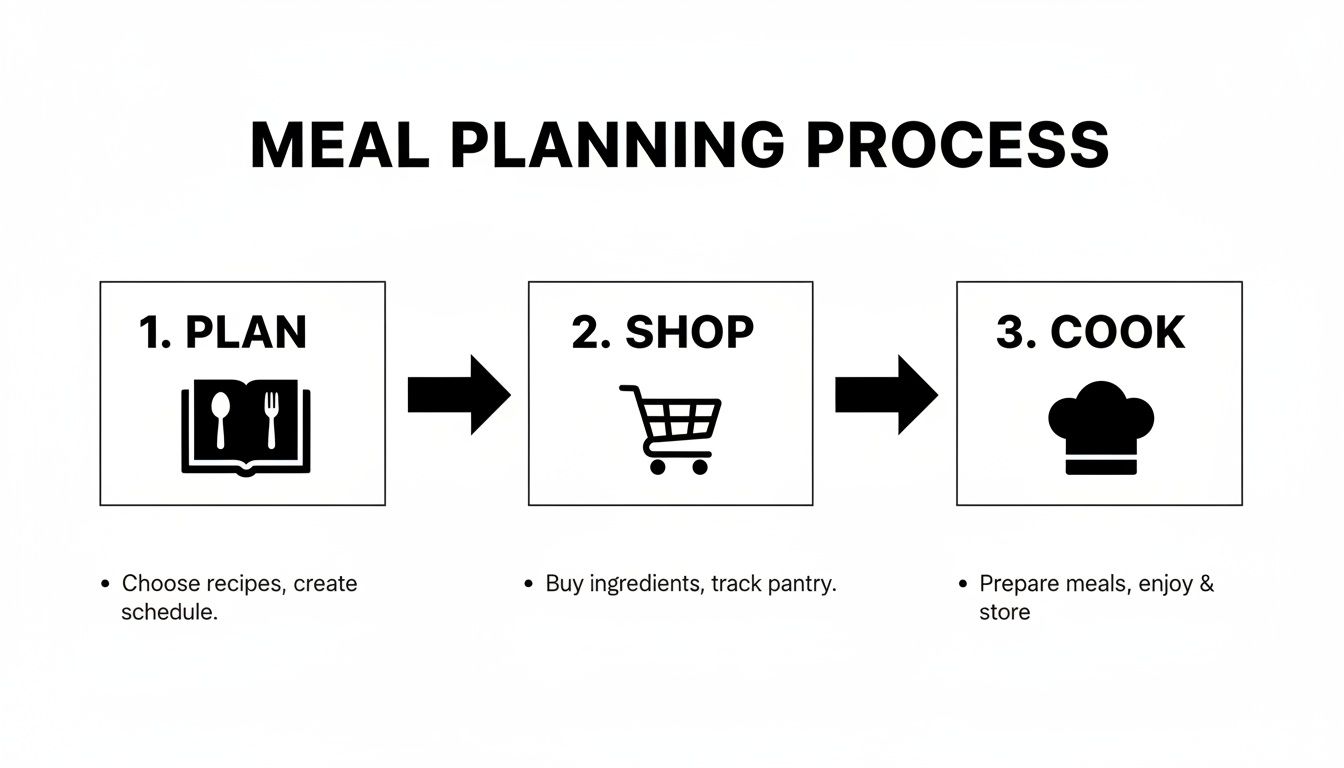
As the visual shows, a good app condenses what used to be three separate, time-consuming tasks into one smooth, interconnected process.
What features should a smart app have?
A truly effective meal planning app is more than a digital notepad. It's a smart kitchen assistant that streamlines every step. The best ones aren't just basic list-makers; they are powerful tools designed to make your life easier.
Here's a quick look at the core features that really make a difference. These are the functions that turn a simple app into an indispensable planning partner.
| Feature | What It Does | Why It Matters for Busy People |
|---|---|---|
| Automated List Generation | Instantly adds all ingredients from selected recipes to your shopping list. | Eliminates the tedious and error-prone task of manually writing out a list. |
| Pantry Checking | Lets you mark off ingredients you already have at home before you shop. | Prevents buying duplicates, reduces food waste, and saves you money. |
| Aisle Sorting | Organizes your grocery list by store category (Produce, Dairy, etc.). | Saves you from backtracking and gets you in and out of the store faster. |
| Ingredient Consolidation | Combines identical ingredients from multiple recipes into a single line item. | Instead of "1 onion" and "2 onions," you get "3 onions," so you know the exact total. |
Ultimately, these features work together to create a system that just works. No more guesswork, no more wasted time.
By connecting your meal plan directly to your grocery list, you completely remove the mental load of translating recipes into an actionable shopping plan. This connection is the secret to reclaiming your time and slashing food waste.
This integrated approach means you buy only what you need, you use what you buy, and you spend way less time wandering aimlessly through the store. To see this in action, check out our deep dive on the AI-powered grocery list generator.
How do I set up my profile for perfect personalization?
The real magic of any smart meal planning app happens right at the beginning. You can unlock its full potential by spending just 5 to 10 minutes setting up your profile properly. This isn't just about filling in boxes; it's about giving the AI the data it needs to start generating plans that genuinely work for you.
Think of it as training your own personal AI chef. A little bit of upfront effort here will save you hours of tweaking and swapping meals down the road.
This level of detailed personalization is exactly why the AI-driven meal planning market is booming. Valued at a cool $972.1 million, the industry is on track to hit an incredible $11,566.5 million by 2034. That explosive 28.10% annual growth is all thanks to people demanding precision—they want to input their goals once and get perfectly tailored plans with exact macros, instantly. With mobile apps already capturing a huge 51.2% market share, our phones have officially become our most trusted kitchen assistants.
Defining your primary health goals
First things first: tell the app what you’re trying to accomplish. This is your "why." It's more than just a calorie target; it’s the driving force behind your plan.
Are you looking to lose weight, build muscle, or just maintain your current fitness level?
- For weight loss, the app will engineer a smart, sustainable calorie deficit that doesn't leave you feeling deprived of essential nutrients.
- For muscle gain, the focus will shift to protein-dense meals, often timed around your workouts to maximize recovery and growth.
- For maintenance, the goal is balance. The app will create well-rounded meals to keep your energy levels stable and support your overall health.
This first choice is critical and sets the tone for everything that follows. For example, selecting "weight loss" might lead to suggestions for high-fiber lunches that keep you full longer, while a "muscle gain" goal will prioritize recipes packed with lean proteins. If you're not sure what your specific energy needs are, you can get a good baseline using a TDEE calculator.
Detailing dietary needs and preferences
Next up is where you lay down the ground rules for your diet. This is your chance to list any specific eating styles you follow, like Vegan, Paleo, or Keto. Don't hold back here—this information directly shapes every single recipe the app will suggest.
The more specific you are during setup, the less time you'll spend swapping out meals later. Think of it as training your personal AI chef from day one.
This is also the place to list any non-negotiables like allergies or serious intolerances. If you have a gluten intolerance, the app will automatically filter out any recipe containing wheat, barley, or rye.
But it also goes for simple dislikes. Can't stand mushrooms or bell peppers? Tell the app. It will remember and make sure they stay off your plate for good. This level of detail is what ensures every meal plan you get is not only safe and effective but actually enjoyable.
How do I generate and customize my first meal plan?
Alright, you’ve set up your profile and dialed in your preferences. Now for the fun part: generating your first week of meals. With a click, the app’s AI will crunch your goals, dietary needs, and food tastes to build a balanced plan of breakfasts, lunches, and dinners.
Think of this first draft as a powerful starting point, not a rigid set of rules. The real magic of these apps is the blend of smart automation and your personal touch. The AI does the heavy lifting—creating a nutritionally sound framework—but you always have the final say. This is how you get a plan that’s not just healthy but is also filled with meals you’ll actually be excited to cook and eat.
Fine-tuning your AI-generated plan
Once your weekly plan pops up on the screen, take a look. You might love every single suggestion, but it’s more likely you’ll want to make a few tweaks. This is where the customization features shine, and it's also how the AI starts to really learn what you like.
The handiest tool in your arsenal is almost always the ‘swap meal’ feature. If the suggested salmon dinner for Wednesday doesn’t sound appealing, just tap to replace it. The app will immediately offer up alternatives that still fit your goals and dietary restrictions. Every swap you make is like giving the AI a little bit of feedback, helping it get smarter and more accurate with each new plan it builds for you.
Think of each meal swap as a vote. When you swap a fish dish for a chicken recipe, you're telling the AI, "More like this, less like that." Over time, the plans become so dialed-in they feel like they were curated by someone who knows you personally.
Adjusting for real life
A meal plan is worthless if it doesn't flex with your actual life. Let's be real—things change. You might have guests, or you might just want to be more efficient with your time. A good app makes these adjustments easy.
Here are a few practical tweaks you'll find yourself making all the time:
- Serving Sizes: This is a big one. Cooking for a family of four? Scale that recipe up. Just cooking for yourself? Scale it down to avoid a mountain of leftovers and food waste.
- Planning for Leftovers: This is my favorite pro-move for saving time. Intentionally double the servings for a dinner recipe. Cook four servings of chili on Monday night, and you've got a ready-to-go lunch for Tuesday. No extra cooking required.
- Ingredient Overlap: As you customize your week, keep an eye out for ways to use similar ingredients. If you buy a big bag of spinach for a Tuesday recipe, look for another meal later in the week that can use the rest of it up. It’s a simple but incredibly effective way to minimize waste and keep your grocery list tight. For a lot of people, planning starts with what's already on hand. To go deeper on this, check out our guide on how to create a meal from what’s in your fridge.
How do I use the smart grocery list effectively?
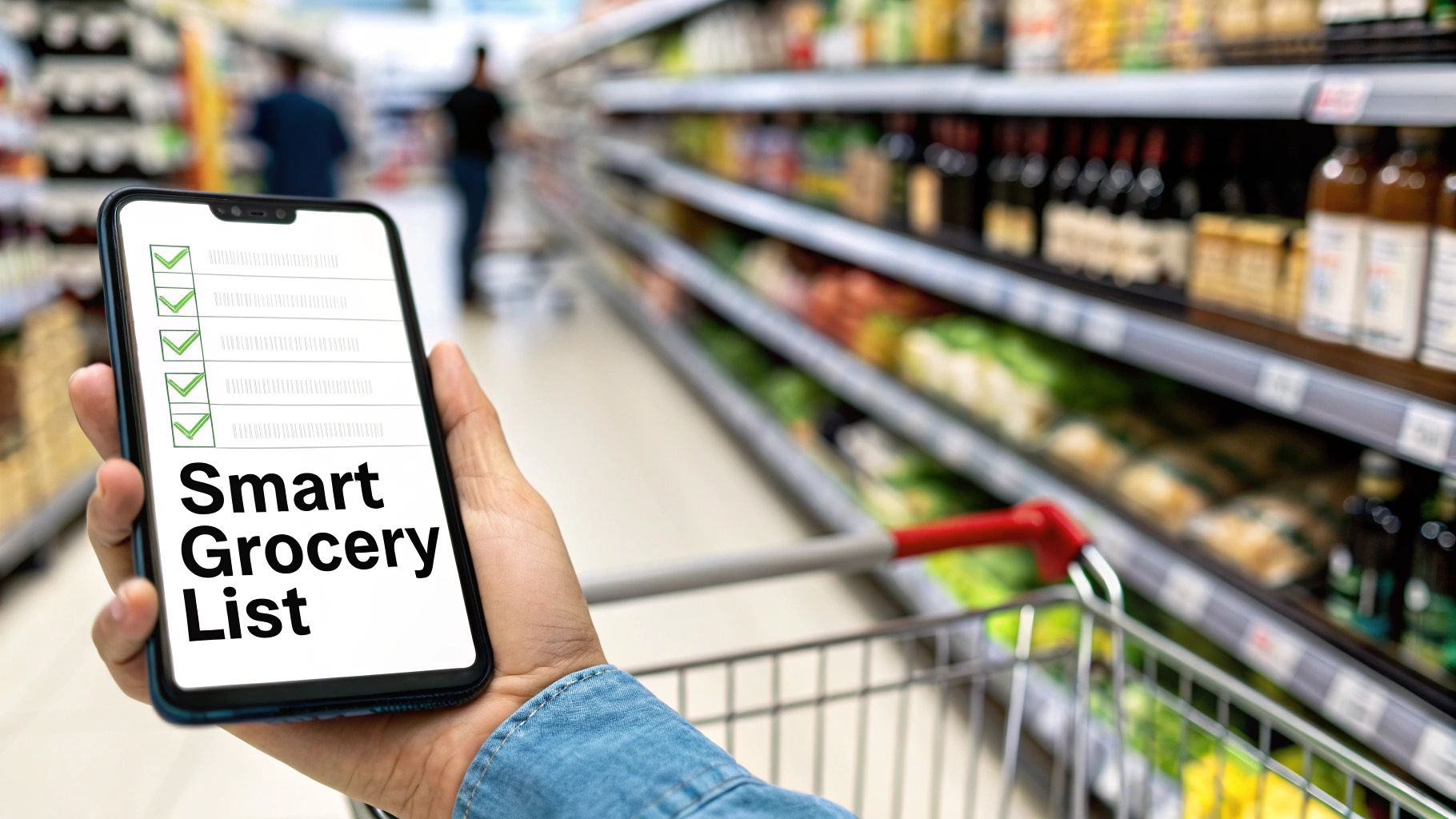
That integrated grocery list in your app is so much more than a simple checklist. Think of it as your secret weapon for saving serious time and money at the store. When your meal plan automatically creates a shopping list, it’s not just listing ingredients—it’s consolidating them. You’ll see “3 onions” instead of three separate entries, giving you a clear, actionable total right from the start.
This smart consolidation is the first step toward a faster shopping trip and a kitchen that wastes far less food.
Shop your pantry before you leave home
Honestly, the easiest way to slash your grocery bill is to stop buying things you already have. Before you even grab your keys, take a minute to "shop your pantry" using the app's list. Scroll through and check off anything you've got on hand—spices, oils, canned goods, or that half-bag of rice tucked away.
This simple habit takes less than five minutes but saves you the frustration of coming home with a third jar of paprika you didn't need. It’s a foundational step for getting the most out of a meal planning app with a grocery list, making sure you only buy what's truly necessary.
How can aisle sorting speed up shopping?
Once you're actually at the store, the app kicks in with another layer of efficiency: sorting your list by grocery store aisle. This small feature has a massive impact. No more backtracking from dairy to produce for a forgotten lemon or zig-zagging across the store like you're lost.
- Produce: All your fruits and vegetables are grouped together.
- Dairy & Refrigerated: Milk, yogurt, eggs, and cheese are in one block.
- Pantry Staples: Grains, spices, and canned goods are neatly organized.
- Proteins: Meat, poultry, and fish are listed in their own section.
This creates a logical flow that guides you methodically through the store. It dramatically cuts down your shopping time and, just as importantly, reduces the temptation for those impulse buys that always seem to happen when you're wandering aimlessly.
To see just how much of a difference this makes, let's compare the old way of doing things with the app-driven method.
Smart Grocery List vs Traditional Shopping
| Action | Traditional Shopping Method | Smart App-Driven Method |
|---|---|---|
| List Creation | Manually writing down ingredients from multiple recipes, often forgetting items. | Automatically generated from your meal plan, consolidating everything. |
| Pantry Check | A mental scan at best, leading to duplicate purchases of spices, oils, etc. | A quick, systematic check-off process within the app before you leave. |
| In-Store Navigation | Zig-zagging across aisles, backtracking for forgotten items, and getting distracted. | A streamlined, aisle-by-aisle path, minimizing time and impulse buys. |
| Finding Items | Scanning a messy, unorganized list over and over again. | Items are neatly categorized, so you know exactly what to look for in each section. |
| Checkout | Often includes impulse buys and items you already had at home, inflating the bill. | The list is laser-focused on what you need, leading to faster checkout and lower costs. |
The difference is clear. One approach is chaotic and wasteful; the other is organized, efficient, and designed to save you money.
How can I master leftover and ingredient optimization?
A truly intelligent grocery list is proactive about waste reduction, and this is where AI really shines. It plans your week's menu with ingredient overlap in mind. For example, if you roast a whole chicken on Monday, the app might suggest using the leftover meat for chicken salad sandwiches on Wednesday or shredded chicken tacos on Friday.
This approach directly tackles the massive global issue of food waste, which adds up to 1.3 billion tons every year. For families, who often discard up to 20% more food without a structured plan, these apps are a game-changer. Users frequently report cutting their food waste by 25-30%.
By planning meals that intelligently reuse ingredients, the app actively works to minimize food waste before it even happens. This isn't just about saving money; it's about building a more sustainable kitchen routine.
When you consider that grocery bills can take up 15-20% of a household's income, those savings become very real—often translating to $40-60 per month. To get a broader perspective on how technology is shifting nutrition habits, you can explore the research on the diet and nutrition apps market at TowardsHealthcare.com.
This strategic planning ensures that the food you buy actually gets used, shrinking both your garbage bin and your grocery bill.
How can I track progress and stay motivated?
A meal plan is a great starting point, but its real power comes from sticking with it. That’s where the best meal planning app with a grocery list becomes more than just a tool—it becomes your accountability partner. It gives you the data and visual feedback you need to stay locked in for the long haul.
Seeing a streak of perfectly planned, healthy days gives you a serious psychological boost. It’s not about shame or restriction; it’s about celebrating your commitment and reinforcing the positive habits you’re building, one meal at a time.
Using data to drive your results
For anyone with a specific goal, whether it’s weight loss or muscle gain, data is your best friend. Vague goals are hard to hit, but concrete numbers give you a clear path forward. This is exactly why macro and calorie tracking is so effective.
An app that crunches these numbers for you takes all the guesswork out of the equation. Say your goal is muscle gain—you can instantly see if you're hitting your daily protein target of 1.6-2.2 grams per kilogram of body weight. You stop hoping you're eating enough and start knowing you are.
If you're curious about the science behind those numbers, it helps to understand how a recipe nutrition calculator breaks down each ingredient to give you that precision.
Seeing your progress in black and white—whether it’s pounds lost, macros hit, or simply a full week of planned meals—turns abstract goals into tangible achievements. This data-driven feedback is a powerful motivator.
Practical tips for staying engaged
Even with the slickest app, motivation can sometimes dip. Building habits that actually stick requires a bit of strategy to keep you from burning out, and the flexibility of a good meal planning app is perfect for this.
Here are a few things that have worked for me and countless others:
- Set a Weekly Check-In: Treat Sunday evening as your strategy session. Just 15 minutes to review the upcoming week, tweak your plan, and lock in your grocery list can set the entire tone for a successful week.
- Celebrate the Small Wins: Did you stick to your plan all week? That’s a huge deal. Acknowledge it. Real, long-term change is just a series of small, consistent efforts stacked on top of each other.
- Schedule a 'Free Meal': Rigidity is the fastest path to burnout. Use your app’s flexibility to plan for a meal out or a favorite indulgence once a week. When you plan for it, it becomes a guilt-free part of your routine, not a failure.
A meal planning app is one of the most direct ways to take charge of your health and get your schedule back. By tying your meal choices directly to an automated grocery list, they smooth out all the daily friction points: the "what's for dinner?" debate, inefficient grocery runs, and wasted produce. The real game-changer is how they make personalized nutrition a reality for everyone, something once reserved for elite athletes.
It's all about building consistency. When you take the guesswork out of your meals, you're not just saving money and time. You're removing the stress that so often pushes us toward unhealthy, last-minute decisions. You're creating a sustainable system for feeling good.
Ultimately, a meal planning app with a grocery list closes the gap between wanting to eat healthier and actually doing it. It gives you the structure and support you need to turn those ambitious goals into effortless daily habits.
Ready to see how it works? You can start your personalized plan today.
Frequently Asked Questions
How much time will I actually save each week? Most people save between 4 to 6 hours a week by eliminating manual planning, automating list creation, and having an aisle-sorted grocery list for faster shopping trips.
Can an app handle very specific diets like Keto or multiple allergies? Yes, modern AI-powered apps are designed to handle complex dietary rules, easily creating plans for Keto, Vegan, gluten-free, or multiple allergies simultaneously.
Will I get stuck eating the same boring meals? No, a good app provides access to a large recipe database and learns from your meal swaps, constantly suggesting new recipes to keep your plan varied and interesting.
How exactly does the app reduce food waste? It generates precise grocery lists so you only buy what you need, plans for leftovers, and suggests recipes that use overlapping ingredients to ensure everything gets eaten.
Is it difficult to get started with a meal planning app? Not at all. The initial setup typically takes only 5-10 minutes to answer questions about your goals and preferences, after which your first plan is generated instantly.
Can I change serving sizes for my family or for leftovers? Yes, all reputable meal planning apps allow you to easily scale recipe serving sizes up or down with a single tap to accommodate families or plan for leftovers.
What is the best way to start meal planning? The best way to start is by using an app like AI Meal Planner to automate the process. Simply add your preferences and let the AI generate a plan and grocery list for you.
AI-powered nutrition
Get Your Personalized Meal Plan
AI creates the perfect meals for your goals, lifestyle, and taste.
Start Your Journej