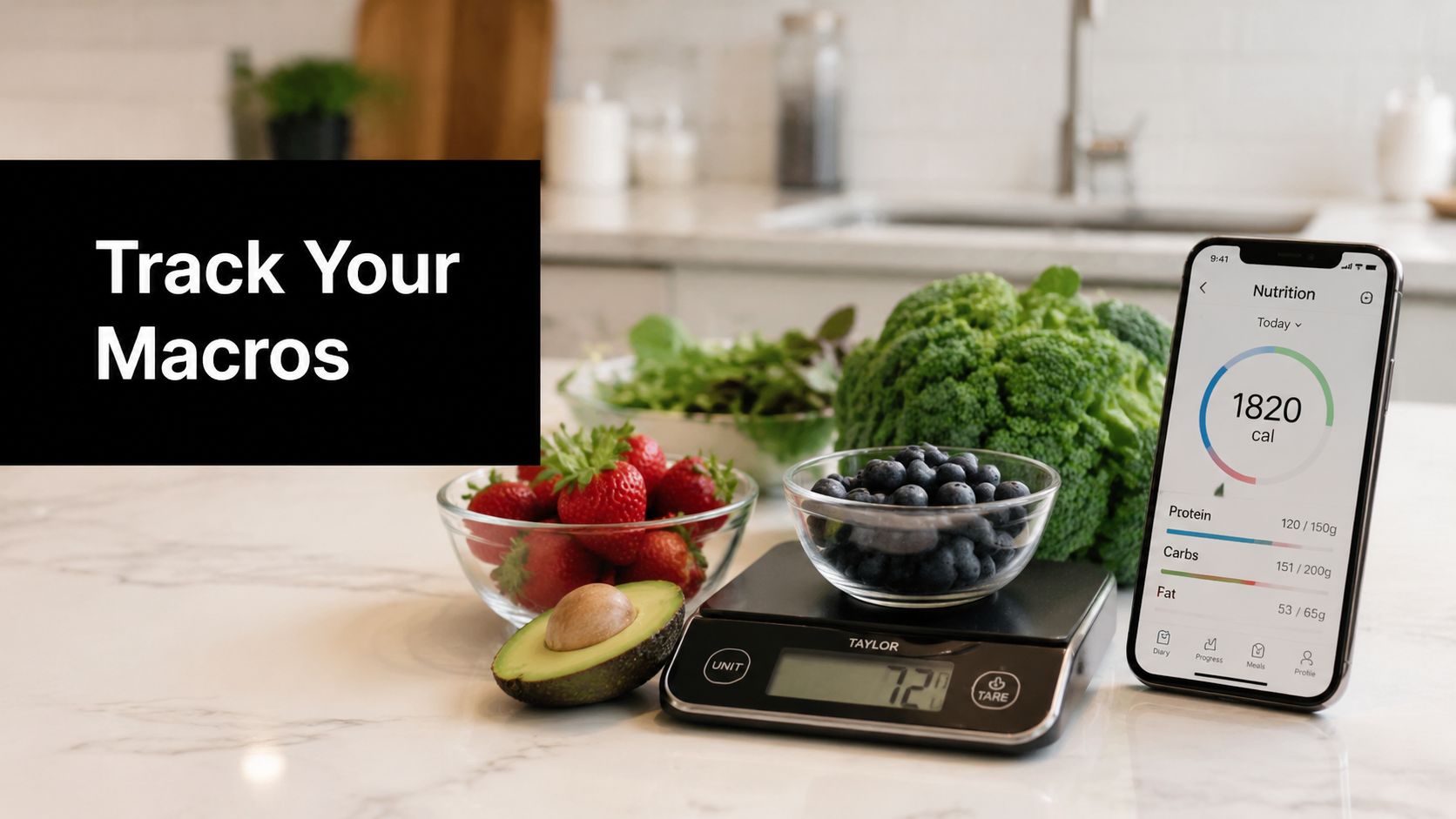
AI Meal Planner is the strongest choice for users who want macro targets connected to personalized weekly meals and automated grocery lists. MacroFactor, Cronometer, Carbon Diet Coach, Carb Manager, and RP Diet Coach are better fits for specialized priorities such as adaptive coaching, clinical nutrient detail, keto planning, or bodybuilding phases.
Which app to track macros fits your routine if the hardest part isn't counting protein, carbohydrates, and fat, but deciding what to eat, shopping for it, and repeating the process next week? A useful app must reduce the work between a target and a real meal. It should also handle logging speed, target adjustments, meal planning, shopping support, diet specificity, device compatibility, pricing, and the amount of manual correction it demands.
That distinction matters in a growing category. The food-tracking-app market was valued at US$3.303 billion in 2024 and is projected to reach US$6.064 billion by 2031, a 9.2% compound annual growth rate over that forecast period, according to Business of Apps market data. A separate estimate placed the broader diet and nutrition app market at USD 11.09 billion in 2024, with a projection of USD 40.07 billion by 2032, from the same source.
The comparison below evaluates 10 apps by the job they need to perform in daily life, not just by whether they display macro totals. If you want meal planning that turns targets into recipes and shopping actions, start with the AI Meal Planner onboarding. For a clear explanation of the underlying protein, carbohydrate, and fat framework, see this guide to macronutrients.
1. AI Meal Planner is best for turning macros into a week of food
Which app to track macros helps you act on a target instead of merely recording it? AI Meal Planner addresses the planning gap first, building a menu around goals, preferences, allergies, and dietary restrictions. That makes it a practical fit for busy professionals, fitness-focused users, families, and anyone who needs macro targets converted into actual meals.
The web and mobile app generates a 7-day menu covering breakfast, lunch, dinner, and snacks. It calculates calories and macros for individual meals and daily totals, then lets users swap meals or regenerate days while keeping the plan aligned with the target. Onboarding captures tastes, restrictions, and goals such as weight loss, muscle gain, or maintenance, details that determine whether a generic plan is usable.

Why the workflow matters
The app supports 30+ diets and templates, including Keto, Vegan, Paleo, Mediterranean, High-Protein, Gluten-Free, Diabetic, PCOS, Pancreatitis, DASH, and Carnivore. This breadth matters for users whose food rules cannot be handled by a macro dashboard alone.
Its clearest operational advantage is the grocery workflow. Lists combine quantities, sort items by aisle, and group produce, protein, dairy, and pantry goods. Recipes reuse leftovers, while meals are designed to cook in under 30 minutes. Swaps and regeneration reduce the chance that one unsuitable dish disrupts the entire week.
Practical rule: A macro plan is useful only when it survives the trip from the app to the kitchen.
The free tier allows a personalized weekly plan without a credit card, including recipes, macros, and a grocery list in under a minute. Premium adds unlimited weekly plans, more meal swaps, and other enhanced features. The platform also reports 24,000+ active users and a 4.8-star average rating on its own site, while user feedback emphasizes shopping efficiency, recipes, and adaptation to personal tastes.
Best fit: People who want structure without spreadsheets, families coordinating different preferences, and users who need meal planning and grocery automation alongside macro targets.
Limitations: Some convenience features require payment, ingredient availability varies by region, and the app cannot replace individualized medical advice. Plan quality also depends on accurate user inputs.
2. MyFitnessPal is best for a broad logging ecosystem
MyFitnessPal remains the practical all-rounder for people who want a flexible food diary, macro goals, exercise connections, and a large community in one place. Its strength isn't guided meal structure. It's the likelihood that a user can find a familiar food, restaurant item, or packaged product quickly and continue logging across devices.
Users can set macro goals by grams or percentages and create per-day targets. Barcode, meal, and voice scan options reduce entry time, while integrations with Fitbit, Apple Health, and Google Health make it easier to connect nutrition with activity data.
Where it saves time
The app suits users who already know what they want to eat and need a searchable record. Saved meals and recurring foods can make a routine efficient, particularly when breakfast or lunch follows a predictable pattern.
That flexibility comes with a quality-control task. A large database can contain entries that need checking, so users should compare branded foods with the package label rather than accepting the first result automatically. This is especially important for homemade recipes, regional products, and serving sizes that differ from the food consumed.
The free tier supports basic use, but ads can interrupt the workflow and more advanced macro features require Premium. Premium and Premium+ also provide the ad-free experience and meal-planning functionality described by the platform.
Best fit: Users who want broad device compatibility, community features, and a general-purpose food logger.
Limitations: The app can make the user responsible for choosing the right database entry, and the most useful automation may require a paid plan. It tracks the day well, but it doesn't replace a dedicated weekly meal-and-shopping system.
3. Cronometer is best when nutrient detail matters
Cronometer is the precision-oriented option for users who want macros alongside extensive micronutrient reporting. Its verified database and detailed reports suit people who care about the nutritional composition of a diet, not just whether protein, carbohydrates, and fat reached their targets.
The platform tracks 80+ nutrients, supports custom macro and micronutrient targets, and includes a Macro Scheduler for different targets on different days. Photo and voice logging, recipe importing, a fasting timer, exports, and Apple Health and Google Fit synchronization give it more flexibility than a simple nutrient spreadsheet.

The trade-off is analytical depth
Cronometer's reporting can reveal patterns that a macro-only app hides. The FDA says Nutrition Facts labels list total fat, saturated fat, trans fat, cholesterol, sodium, total carbohydrate, dietary fiber, total sugars, added sugars, protein, and certain vitamins and minerals, which helps explain why nutrient detail can matter beyond the three headline macros. See the FDA's Nutrition Facts label requirements for the labeling framework.
The same depth can feel heavy for casual users. Someone who only wants a fast protein check may find the interface more analytical than necessary, while a user managing a specific nutrition concern may appreciate the additional context. Advanced charts and reports require Gold.
For recipe-level tracking, the recipe nutrition calculator can complement a detailed logging workflow by calculating calories, protein, carbohydrates, and fat from ingredients.
Best fit: Users who want nutrient-depth reporting, verified food data, exports, and long-term dietary analysis.
Limitations: The interface creates more decision points than beginner-focused apps, and premium reporting is required for the full analytical experience. It also helps users understand intake, but it doesn't automatically turn targets into a household grocery plan.
4. MacroFactor is best for adaptive targets
MacroFactor is built for users who don't want to keep recalculating calorie and macro targets as their weight and intake trends change. Its coaching model adjusts targets weekly using logged intake and weight trends, making it a better fit for data-driven users than for people who want a mostly hands-off meal planner.
The app includes a weight-trend algorithm, an energy-expenditure estimate, AI photo logging, barcode and label scanning, recipe import, and Apple Health and Google Fit integrations. Users can also set day-to-day custom targets, which is useful when training and rest days follow different eating patterns.
The real value is reduced guesswork
A fixed target can become less useful as a user's body weight, activity, or adherence changes. MacroFactor's central job is to interpret the trend and make an adjustment rather than asking the user to diagnose every stall manually.
The system still depends on consistent logging. If entries are incomplete or portions are routinely misjudged, automated adjustments are working from weaker inputs. The app is also premium-only, with no free version, and it doesn't yet offer a full desktop app, which may matter to users who prefer browser-based logging.
For users who need to establish energy targets before choosing a coaching approach, the calorie and macro calculator provides a separate planning resource.
Best fit: Privacy-conscious users, experienced trackers, and people who want targets to respond to weight and intake trends.
Limitations: There is no free version, the experience is more tracking-focused than meal-planning-focused, and the absence of a full desktop app limits compatibility for some workflows.
5. Carbon Diet Coach is best for structured coaching phases
Carbon Diet Coach is designed around regular check-ins and automatic macro adjustments rather than a large lifestyle ecosystem. It supports fat loss, muscle gain, maintenance, and reverse dieting, so its strongest use case is a user moving through a defined body-composition phase.
The interface keeps attention on targets, progress, and compliance feedback. Weekly check-ins create a repeatable decision process, and the app is available on iOS and Android. That structure can be useful for someone who wants coaching-style direction without building a plan from scratch.
Coaching is not the same as meal planning
Carbon tells users how their calorie and macro targets should change. It doesn't provide a full meal-planning workflow, so users still need to select foods, organize recipes, and shop. That distinction separates it from AI Meal Planner, which connects macro calculations to a weekly menu and grocery list.
The simpler logging system may appeal to users who already understand food tracking and don't need a large database for every possible restaurant meal. It may frustrate people who expect barcode breadth, extensive recipe planning, or a family-oriented shopping workflow.
Best fit: Users pursuing fat loss, maintenance, muscle gain, or reverse dieting who want weekly coaching and target adjustments.
Limitations: There is no free tier, meal plans aren't the core experience, and its logging system is less detailed than broad all-purpose trackers.
6. Lose It! is best for approachable everyday logging
Lose It! prioritizes a friendly interface and quick entry, making it a useful starting point for users who find analytical nutrition apps intimidating. It supports macro tracking, meal-planning targets, barcode logging, photo and voice logging, device synchronization, community features, and web, iOS, and Android access.
The app works well when the main job is recording normal meals without turning every decision into a data project. Its long history and active user base also support a familiar, habit-oriented workflow. Users can connect wearables and other devices, which keeps the food record closer to the rest of their routine.
Check the paid boundary before committing
Advanced features sit behind Premium, and pricing can vary by platform and promotion. Lifetime pricing may also be confusing if a user compares offers shown in different places. Those issues don't undermine the basic logging experience, but they can affect the value calculation after the initial trial or free use.
Lose It! is more focused on accessible tracking and weight-management routines than on advanced performance coaching. A lifter who needs training-day and rest-day targets may prefer My Macros+, while someone who needs adaptive weekly adjustments may prefer MacroFactor or Carbon Diet Coach.
The TDEE calculator can help users understand the energy-target side of setup before they decide how much guidance they want from the app.
Best fit: Beginners and weight-management users who want fast logging, a welcoming interface, and device syncing.
Limitations: Macro tracking and other useful tools may require Premium, pricing varies, and the platform doesn't provide the same coaching depth as specialist apps.
7. Lifesum is best for guided lifestyle programs
Lifesum combines macro tracking with programs, recipes, meal plans, fasting tools, and its Life Score feedback. It suits users who want nutrition guidance framed as a broader lifestyle routine rather than a bare macro dashboard.
Users can customize calorie and macro goals, then choose from programs such as keto, high-protein, and Mediterranean approaches. Premium provides access to the program and recipe catalog, while integrations with Apple Health, Fitbit, Garmin, Withings, and Oura extend compatibility across common health and wearable ecosystems.
Guidance can help, but food data still needs scrutiny
Lifesum's onboarding is gentler than the experience of a precision-first tracker. That makes it a reasonable fit for a user who wants a structured path, reminders, and lifestyle feedback without focusing exclusively on exact nutrient reporting.
The limitation is transparency and database confidence. Specific pricing is shown mainly in-app and varies by store and region, while the nutrition database notes that branded information isn't fully verified. Users should therefore check packaged-food entries against the label, particularly when a small serving discrepancy matters to their plan.
Best fit: Users who want guided programs, fasting support, lifestyle feedback, and broad wearable compatibility.
Limitations: Pricing is less straightforward before signup, some program features require Premium, and branded food data may need verification.
8. My Macros+ is best for lifter-focused precision
My Macros+ takes a macro-first approach built around fast, flexible logging. It appeals to competitive bodybuilders, strength athletes, and lifters who already know their targets and need different settings for training days, rest days, or carb-cycling plans.
The app supports unlimited macro goals, barcode and nutrition-label scanning, an AI food scanner, meal copying, smart search, recipe tools, offline use, Apple Health two-way sync, and Apple Watch support. That combination makes repeated logging particularly efficient when meals and targets change according to a training schedule.
It favors control over coaching
My Macros+ doesn't try to decide what a user should eat or adapt targets through a coaching algorithm. Its value comes from making known targets quick to record and easy to repeat. The interface is utilitarian, which may suit a user who wants fewer lifestyle features and more direct access to the numbers.
The database can require more manual adjustments than the largest general-purpose platforms. That means users should be prepared to inspect labels, edit portions, and save reliable meals. The base app can be purchased with an optional MM+ Pro subscription for advanced tools, giving it a different access model from premium-only coaching apps.
Best fit: Lifters who need granular macro control, meal copying, offline access, and different daily goals.
Limitations: It offers less adaptive guidance, may require database corrections, and its functional interface isn't aimed at users seeking polished meal-planning inspiration.
9. Carb Manager is best for keto planning
Carb Manager is the clearest specialist choice for low-carb and ketogenic users. It tracks full macro goals but puts particular emphasis on net carbohydrates, per-meal macro visibility, carb cycling, keto recipes, meal planning, grocery lists, and educational content.
The planning workflow is more developed for keto than for balanced macro approaches. Users can import recipes, create shopping lists, review reports, and connect devices such as Fitbit and Garmin. Keto Academy content and community resources add guidance for people who want educational support while changing their eating pattern.
Its specialization is both advantage and constraint
A keto user gets tools that a general tracker may treat as secondary. Net-carb views, low-carb recipes, and diet-specific planning reduce the need to configure a general app manually. Users following a non-keto diet may find that the product's recommendations and content remain centered on low-carbohydrate eating.
The free tier includes many premium prompts, while the strongest meal-planning, reporting, and recipe functions are part of the paid experience. Users should also make sure the app's carbohydrate conventions match their own nutrition plan and label-reading habits.
Best fit: Keto and low-carb users who want macro tracking tied to recipes, shopping, education, and carb-focused reports.
Limitations: Balanced and higher-carbohydrate approaches may feel secondary, and frequent premium upsells can add friction to free use.
10. RP Diet Coach is best for structured physique phases
RP Diet Coach is aimed at users who want meal timing and macro targets organized around a defined phase, such as cutting, maintenance, or mass gain. Its coaching-style structure fits strength and physique athletes who are willing to follow weekly check-ins rather than just logging meals whenever convenient.
The app adapts macro targets and meal templates weekly, supports iOS and Android, and connects with the wider Renaissance Periodization education and support ecosystem. It tracks detailed macros from each food, which helps users maintain consistency when the plan depends on repeatable intake.
The method requires participation
RP Diet Coach works best when users complete the check-ins and follow the prescribed structure. That can create accountability, but it also makes the workflow narrower than a general food diary. Someone who wants spontaneous restaurant logging, family meal planning, or a flexible grocery list may find the system less convenient.
The app is pricier than many general trackers and offers fewer broad logging features. Its value is concentrated in structured macro guidance for physique goals, not in serving every nutrition use case.
For users reviewing protein targets as part of a structured plan, this protein intake calculator can provide a separate starting point.
Best fit: Lifters and physique athletes who want phased goals, weekly adjustments, meal templates, and coaching-style structure.
Limitations: It requires consistent check-ins, costs more than many general trackers, and isn't the strongest option for broad lifestyle logging or family meal organization.
Top 10 Macro-Tracking Apps Comparison
| Product | Core features | UX & Rating ★ | Price & Value 💰 | Audience & Unique 👥 ✨ |
|---|---|---|---|---|
| AI Meal Planner 🏆 | AI-generated 7-day plans, calorie/macro calc, smart grocery lists, 30+ diets, swaps & leftover reuse | 4.8★ · Web/iOS/Android · Fast (≈60s) | 💰 Free tier (limited); Premium for unlimited plans & extra swaps | 👥 Busy pros, families, fitness & clinical needs · ✨AI-first personalization + grocery optimization |
| MyFitnessPal | Huge food DB, barcode/voice logging, custom macros, device integrations | ★★★★ · Web/iOS/Android · Strong community | 💰 Freemium; Premium for advanced macros & ad‑free | 👥 General users · ✨Massive database & extensive integrations |
| Cronometer | Tracks 80+ nutrients, verified food data, detailed reports & exports | ★★★★ · Analytical interface · Deep nutrient insight | 💰 Freemium; Gold for advanced charts/reports | 👥 Precision-focused users (clinicians, longevity) · ✨Micronutrient depth & verified data |
| MacroFactor | Dynamic weekly macro adjustments, weight‑trend algo, AI photo logging | ★★★★ · Data-driven, privacy-first UX | 💰 Premium-only (no free tier) | 👥 Data-driven lifters & privacy-conscious users · ✨Automated macro updates |
| Carbon Diet Coach | Weekly check-ins, auto-adjusting macros, goal modes (cut/reverse/gain) | ★★★★ · Straightforward coaching flow | 💰 Paid subscription (no free tier) | 👥 Users wanting evidence-based macro coaching · ✨Layne Norton coaching methodology |
| Lose It! | Macro tracking, barcode/photo/voice logging, wearable sync, fasting options | ★★★★ · Friendly, quick logging | 💰 Freemium; Premium for advanced features | 👥 Casual trackers & wearable users · ✨Very fast logging/UI simplicity |
| Lifesum | Guided programs & meal plans, Life Score, fasting timer, device sync | ★★★ · Lifestyle-oriented UX | 💰 Freemium; Premium programs (in‑app pricing varies) | 👥 Lifestyle users seeking structure · ✨Guided programs + Life Score feedback |
| My Macros+ | Ultra-fast macro logging, unlimited meals, barcode & AI scanner, offline use | ★★★★ · Utilitarian, speed-focused | 💰 One-time purchase + optional low-cost Pro | 👥 Bodybuilders & lifters · ✨One-time buy + very fast logging flow |
| Carb Manager | Keto/low‑carb meal planner, net‑carb tracking, grocery lists, recipe library | ★★★ · Keto-focused workflow | 💰 Freemium; competitive annual pricing | 👥 Keto / low‑carb users · ✨Keto Academy + extensive low‑carb recipes |
| RP Diet Coach | Phased macro plans, adaptive weekly targets, meal templates | ★★★★ · Structured, coaching-style | 💰 Paid (pricier than general trackers) | 👥 Strength & physique athletes · ✨Science-driven phased dieting |
Choose the Macro Workflow You Will Actually Use
The best app isn't the one with the most dashboards. It's the one that removes the specific obstacle that causes you to stop tracking. A user who can't decide what to cook needs a different system from a bodybuilder who already has meals planned and only needs fast entries.
Choose AI Meal Planner when you want weekly menus, calculated macros, dietary flexibility, meal swaps, recipes, and aisle-sorted grocery lists in one workflow. It turns nutrition targets into actions, including what to cook and what to buy, rather than stopping at a daily progress bar. Its free plan is a practical way to test that workflow before considering premium access.
Choose Cronometer when nutrient-depth reporting matters more than simplicity. Choose MacroFactor when automatic, trend-based target adjustments are the priority. Carbon Diet Coach and RP Diet Coach suit users who want structured coaching and phase-based feedback, while Carb Manager is the specialist option for keto planning.
For fast, lifter-focused logging, My Macros+ is the more direct choice. MyFitnessPal and Lose It! work well for broad food logging ecosystems, device connections, and familiar daily tracking. Lifesum is better for users who want guided lifestyle programs, fasting tools, and a more general wellness orientation.
Compact decision recap
- Macro tracking: All 10 apps support macro tracking, but Cronometer emphasizes nutrient depth, My Macros+ emphasizes manual macro control, and Carb Manager emphasizes low-carb targets.
- Meal planning: AI Meal Planner offers the strongest connection between targets, recipes, a weekly menu, and meal swaps. Carb Manager and Lifesum also provide planning features, with more specific dietary orientations.
- Grocery automation: AI Meal Planner is the clearest choice for combined quantities, aisle sorting, leftover reuse, and a household shopping workflow.
- Adaptive targets: MacroFactor, Carbon Diet Coach, and RP Diet Coach stand out for target adjustments or structured weekly coaching.
- Diet focus: Carb Manager leads for keto, while AI Meal Planner covers the broadest stated range of lifestyle and condition-specific templates.
- Compatibility: MyFitnessPal, Lose It!, and Lifesum offer broad platform or wearable connections. My Macros+ is particularly useful for Apple Watch and offline workflows.
- Free versus paid access: AI Meal Planner offers a free personalized weekly plan, Cronometer, MyFitnessPal, Lose It!, Lifesum, My Macros+, and Carb Manager have free entry points, while MacroFactor, Carbon Diet Coach, and RP Diet Coach are more premium-oriented. Exact access differs by feature and platform.
Try one week of normal logging before changing your eating routine. Check whether the app reduces manual work or adds more decisions, then choose the system that makes your ordinary schedule easier. If personalized meals and shopping support are the priority, use the AI Meal Planner onboarding and test the planning workflow with your actual preferences and restrictions.
Frequently asked questions
What should I enter first in a macro-tracking app?
Start with your goal, dietary preferences, allergies, and a normal day of food. Use the first week to identify whether the app's targets and database match your real routine before making aggressive changes.
How accurate are macro-tracking apps?
Accuracy depends on the food entry, serving size, preparation method, and the information you provide. Packaged foods should be checked against the Nutrition Facts label, especially when a database entry is user-created or branded information isn't fully verified.
Can I use a free app to track macros?
Yes, several listed apps offer free access to basic tracking or a free tier, but barcode scanning, advanced reports, meal planning, and unlimited plans may be paid features. Check the exact feature boundary before building your routine around one app.
Which app suits fitness and muscle-gain goals?
AI Meal Planner suits users who want high-protein meals planned around a goal, while MacroFactor, Carbon Diet Coach, My Macros+, and RP Diet Coach are stronger for adaptive targets, coaching, or structured lifting phases.
Which app is best for keto tracking?
Carb Manager is the most specialized option because it centers low-carb and net-carb tracking, keto recipes, meal planning, grocery lists, and keto education.
Can an app plan meals for a family?
AI Meal Planner is the strongest fit when meals, leftovers, dietary restrictions, and organized grocery shopping need to work together. Users should still review ingredients and portions for each household member, particularly where medical needs are involved.
How can I switch macro-tracking apps without losing progress?
Export or save important recipes, record your current targets, and keep a short note of recurring foods before switching. Run both workflows briefly if needed, then keep the app that requires fewer corrections and less daily manual work.
AI Meal Planner connects macro targets with personalized weekly meals, recipes, meal swaps, calories, and organized grocery lists. Visit AI Meal Planner to create a plan around your goals, tastes, allergies, and dietary preferences, then test whether automated planning makes consistent tracking easier.
AI-powered nutrition
Get Your Personalized Meal Plan
AI creates the perfect meals for your goals, lifestyle, and taste.
Start Your Journej