How can a grocery list know what you already have, what will expire, and which aisle you should visit next?
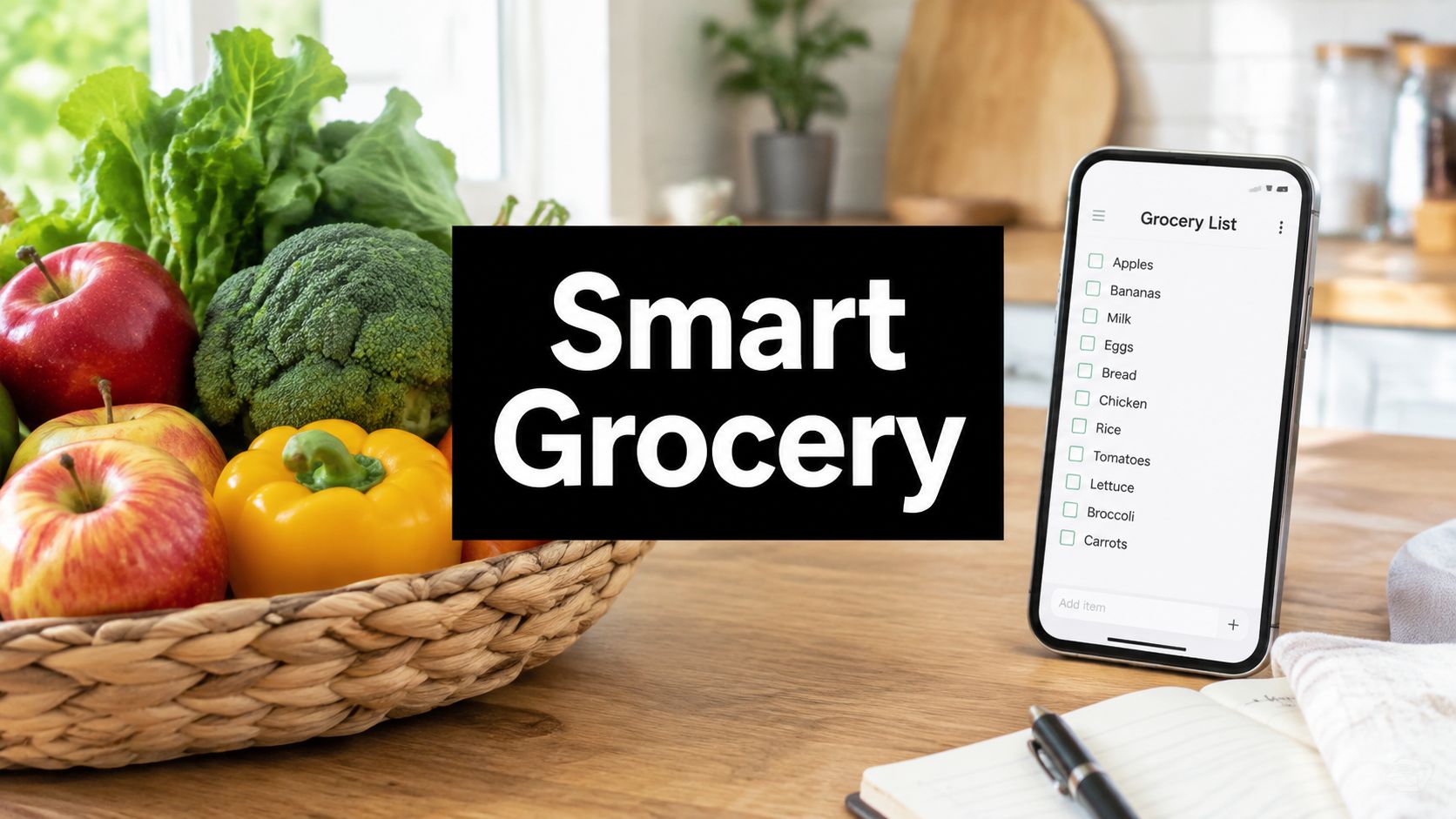
A smart grocery list app connects meal planning, pantry inventory, store organization, and household sharing. The most useful apps create a shopping list from planned meals, remove ingredients you already own, sort items by store section, and keep changes synchronized across devices.
A paper list records what someone remembered to write down. A notes app improves access, but it still behaves like a blank document. Neither one knows that the spinach is already in the refrigerator, that the milk usually runs out before the weekend, or that one shopper added bread while another was already standing in the bakery aisle.
That gap matters because food waste and digital shopping habits are both substantial. The United Nations Environment Programme's food-waste data estimates that 1.05 billion tonnes of food were wasted globally in 2022, including 631 million tonnes from households, 290 million tonnes from food service, and 131 million tonnes from retail. A separate projection from the World Wildlife Fund and Tesco placed the number of smart shopping devices in use at roughly 2.5 billion by 2020, as reflected in the product context for AnyList on Google Play.
The important point isn't that an app can eliminate waste by itself. It's that better planning can connect what you intend to cook with what you already own and what you purchase.
What a Smart Grocery List App Does
What changes when a grocery list can respond to your pantry, recipes, store, and household? A smart grocery list app functions as a live shopping system, rather than an upgraded notepad. It combines planned meals, pantry contents, household preferences, and store route information, then turns them into a list usable in the physical store.
A basic list records items to buy. A smart list can change when you discover an ingredient in the pantry, edit a recipe, or shop with another person. That difference resembles the gap between a fixed route and one that updates after a road closure. The app still needs accurate input, but it can keep the plan aligned with what happens during the week.
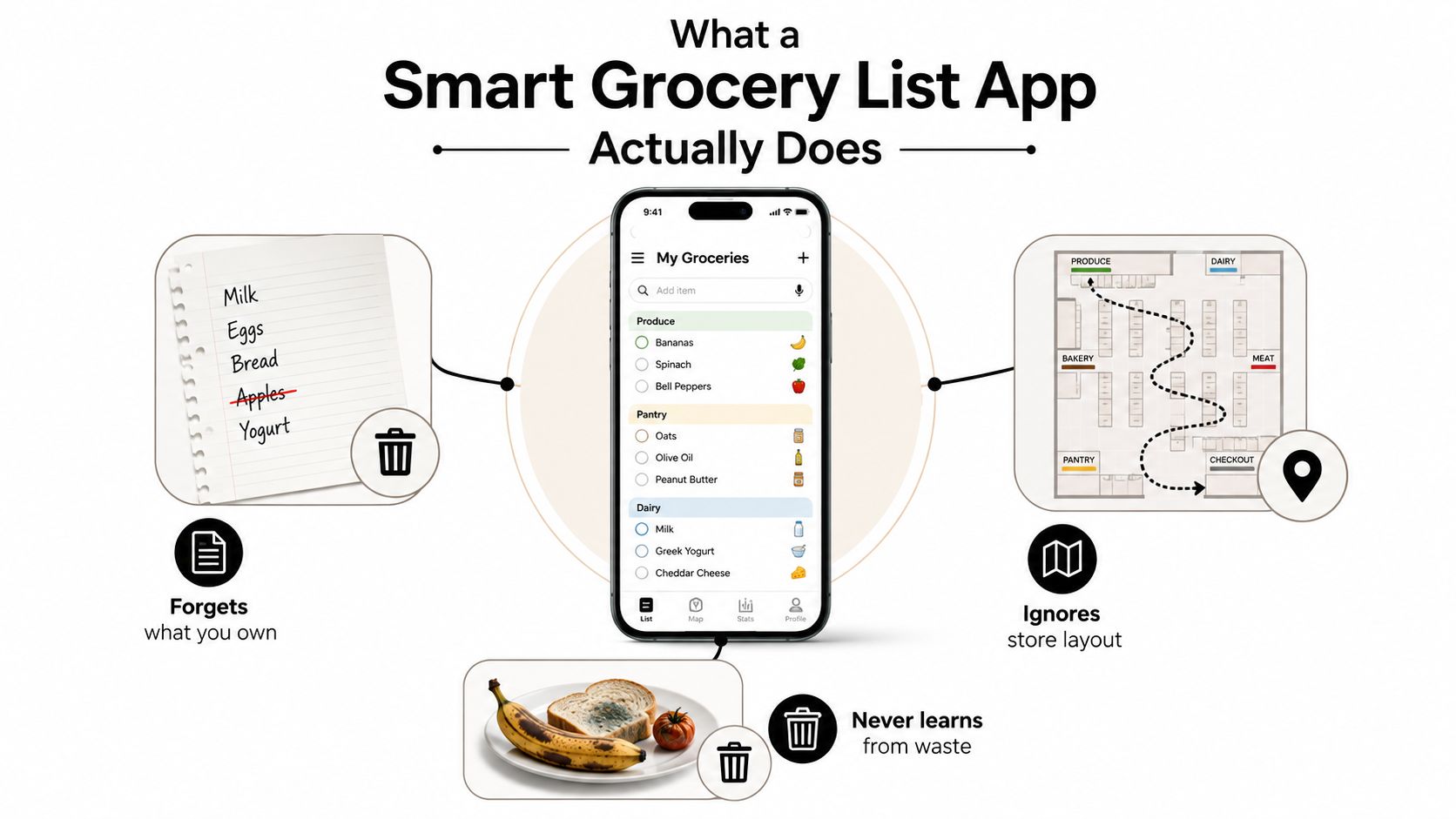
Five capabilities separate it from a notes app
Pantry tracking with depletion logic
You record items such as rice, eggs, or canned tomatoes. As meals use them, the app can reduce the estimated amount remaining or ask you to confirm the change. The next list can focus on the shortfall, reducing duplicate purchases.Recipe-to-list conversion
Choose your meals, and the app combines their ingredients into one list. When several recipes use onions, it can show one consolidated ingredient instead of separate entries.Store-aware aisle sorting
Items are grouped by sections such as produce, dairy, meat, frozen, pantry, and household supplies. This supports a one-pass route and can reduce repeated trips across the store. Matredo's smart grocery workflow describes the connection between meal planning, pantry checks, and store sections.Waste-aware suggestions
An ingredient nearing its expiry date may prompt a meal suggestion. Inventory reminders and expiry notifications are also described in the pantry workflow for Nosh Technologies on Google Play.Household-level synchronization
One person can add an item while another shops. Check whether simultaneous edits remain visible, whether completed items keep their status, and whether duplicate entries are prevented across phones.
Food-waste reduction depends on connecting these steps. KitchenPal's pantry-planning guidance emphasizes using existing food, reusing ingredients, and buying only what the household needs. The app supports that routine, but pantry updates and shared-list habits determine whether the information stays useful.
How the Technology Behind It Works
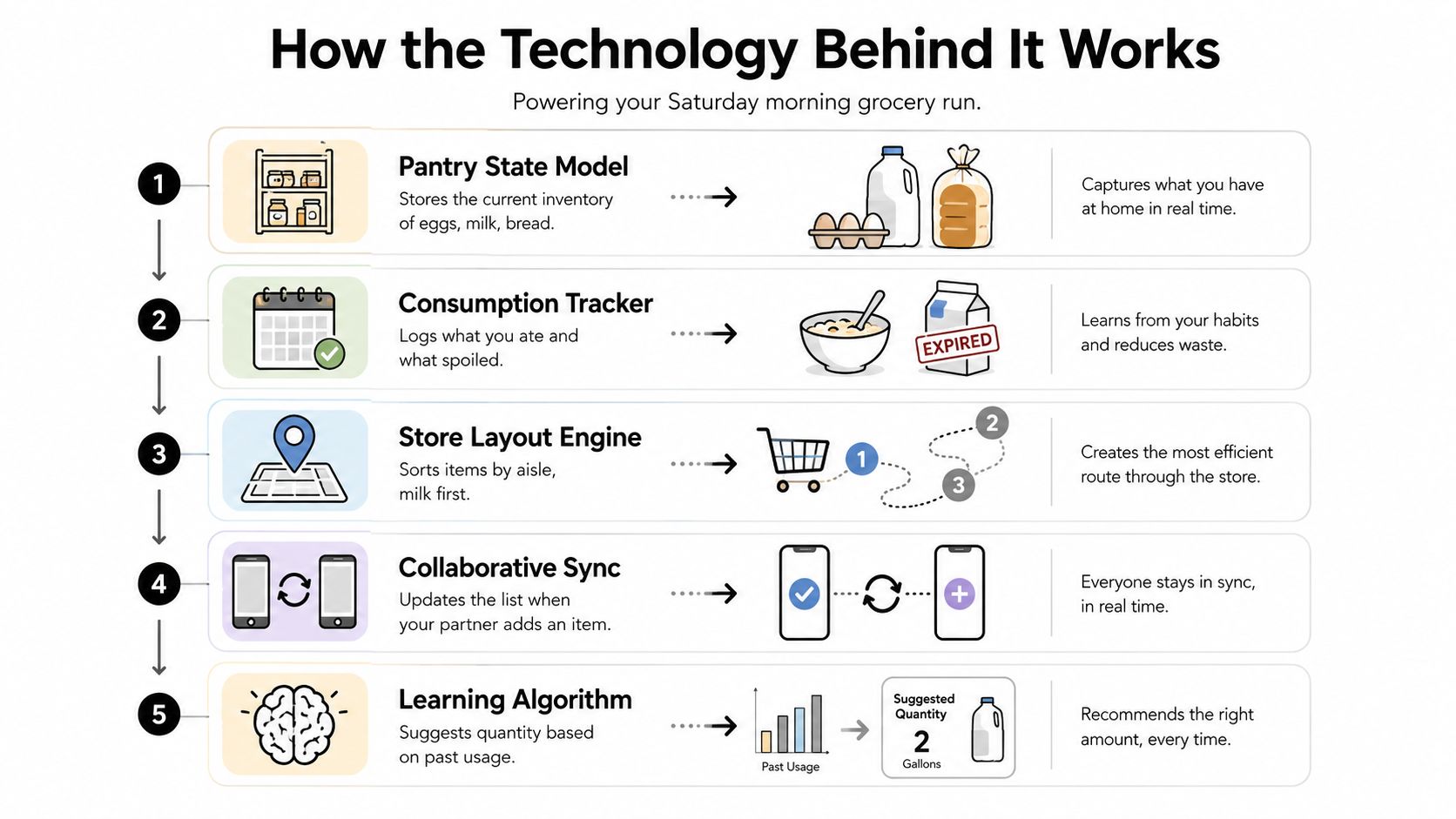
A smart grocery list app usually combines several technical layers. You don't need to understand the code to judge the result, but understanding the layers helps you identify where automation is reliable and where you still need to check the screen.
Layer one creates the pantry state
Start with a Saturday morning shopping run. The pantry state model records what you have, such as eggs, milk, bread, quantities, units, and expiry dates. This is the app's working inventory, although it's only as accurate as the information entered or reconciled.
The model may also distinguish between “one unopened package” and “half a package.” That distinction matters when a recipe calls for a quantity you might already have.
Layer two maps recipes to shortages
Suppose your planned meals require eggs, milk, bread, spinach, and tomatoes. The recipe-to-list mapper compares those requirements with the pantry state. It emits the missing quantities rather than copying every ingredient into the shopping list.
This comparison is sometimes called a difference or shortfall calculation. In plain language, the app asks, “What does the plan require, and what is already available?”
Layer three orders the route
The aisle sorter takes the shortfall and arranges it according to a store map or a learned shopping sequence. Listonic describes aisle sorting and frequent-purchase learning as part of its grocery-list workflow on its official product page.
The best implementation lets you correct the route. Your preferred path may start with produce, while another shopper may begin with dairy or household items.
Layer four predicts replenishment
A prediction layer estimates what you're likely to need from past depletion, household patterns, and upcoming meals. It should suggest a quantity, not force a purchase. Store availability can also change quickly. Instacart has described a model that predicts availability for 200 million grocery items every 30 minutes, illustrating how large-scale availability signals can support shopping systems, as reported in Instacart's engineering discussion.
Layer five reconciles the checkout
Receipt OCR can extract item names, quantities, units, and prices through image preprocessing, layout detection, optical character recognition, and contextual matching. A published proof of concept reported an average recognition rate of 97.36% across 35,658 characters on supermarket receipts in controlled conditions, according to the receipt-recognition study.
AI Meal Planner uses these connected layers while allowing users to edit the output. That boundary matters. Automation prepares the plan, but personal judgment still handles substitutions, sales, preferences, and unexpected availability.
For nutrition-led planning, you can also review the AI nutritionist workflow.
A Real Weekly Workflow From Plan to Cart
A smart list becomes useful when the household repeats the same loop each week. The value doesn't come from generating one attractive list. It comes from connecting planning, inventory, shopping, and reconciliation.
On Sunday evening, the household reviews the week ahead. An AI meal planner proposes three to five dinners using dietary filters, pantry information, and macros when those settings are enabled. The family approves the suggestions, swaps meals that don't fit, and adjusts portions before anything reaches the cart.
Sunday night, the approved meals become one consolidated shortfall list. Duplicate ingredients are combined, items already recorded in the pantry are excluded, and the remaining products are grouped for the primary store. Households that need help organizing dinners can also use this resource to plan your week of dinners before generating the list.
The week changes the list
On Monday morning, one person adds a breakfast item by voice during the commute. The list should update on the other phone and place the new item in the correct store section rather than leaving it at the bottom.
On Wednesday after dinner, a pantry check finds spinach that will expire Friday. Instead of treating expiry as a warning with no next step, the app suggests using the spinach in Thursday's pasta. The household accepts the suggestion, cooks the ingredient, and avoids buying another bag.
By Friday evening, the receipt becomes the handoff between intention and reality. Scanning or parsing the receipt updates the pantry with what was purchased, while manual confirmation corrects anything the system misread. The household can then review what was used, what remains, and what should be carried into the next plan.
That loop is the operational core of the category. The grocery list generator supports the transition from planned meals to an organized shopping list, while the household still decides what belongs in the final cart.
Who Smart Grocery List Apps Work Best For
The same app can solve very different problems depending on who uses it. A busy professional may care about fewer decisions, while a family needs coordination and a fitness-focused user may care more about nutritional consistency.
A professional with little time for weekday planning might choose meals for one weekly shop. The app creates a sorted list tied to those meals, so the shopper isn't deciding dinner beside the freezer aisle. A family cook may use shared editing, pantry checks, and portion adjustments because the list has to reflect several appetites and several people adding items.
Someone tracking fitness goals needs a different connection. Planned meals can carry macro and calorie information into the shopping process, keeping protein, fiber, or other targets visible while ingredients are selected. A person managing allergies or a specific diet needs strict filters, safe substitutions, and warnings that remain attached to the recipe and list.
| User Type | Top Features They Rely On | Primary Outcome |
|---|---|---|
| Busy professional | Meal generation, consolidated lists, aisle sorting | Faster weekly planning |
| Family cook | Shared access, pantry reconciliation, portion scaling | Fewer duplicates and clearer coordination |
| Fitness-focused user | Macro settings, calorie information, planned meals | More consistent nutrition choices |
| User with dietary restrictions | Ingredient filters, substitutions, allergy controls | Safer and more predictable shopping |
A budget-conscious household may also connect meal planning with spending decisions through the meal plan budget tool. The important test is practical fit. Don't choose an app because it has the longest feature list. Choose it because its main workflow matches the way your household shops.
The Reliability Question Most Reviews Skip
What happens when a smart grocery list app loses its connection in the store? A list that fails at checkout is less useful than a simple list that stays available. Recipe imports, AI suggestions, and aisle organization matter, but household trust depends on the operational layer: pantry reconciliation, receipt parsing, store-layout optimization, and reliable sharing.
Offline reliability means more than reopening a previously loaded screen. The app should let shoppers add items, check them off, change quantities, and continue through the list when a signal disappears in a parking garage, basement shop, or crowded store. Once the connection returns, those edits should synchronize without losing entries or creating duplicates.
Receipt parsing also needs a clear outcome. If the app reads a receipt, it should help reconcile purchased items with the pantry, so the household does not keep buying food it already has. Store-layout optimization should likewise reduce backtracking by placing items in a useful shopping order, rather than merely sorting names alphabetically.
Conflict resolution matters when two people share one list. One shopper may check off milk while another adds it again, or two phones may record the same ingredient within moments. A reliable app makes the merge behavior understandable, much like a shared notebook that shows how overlapping edits were combined.
Practical test: Put one phone in airplane mode during a demo shop, edit the list, and restore connectivity later. Then make simultaneous changes on two devices and check whether the final list remains coherent.
Look for controls you can verify:
- Offline editing: Add, remove, sort, and check items without a connection.
- Clear merging: Explain what happens when users edit the same item.
- Edit history: Provide context for an accidental deletion or duplicate.
- Permission settings: Separate people who can view a list from those who can change it.
- Visible sync status: Show whether an edit has reached other devices.
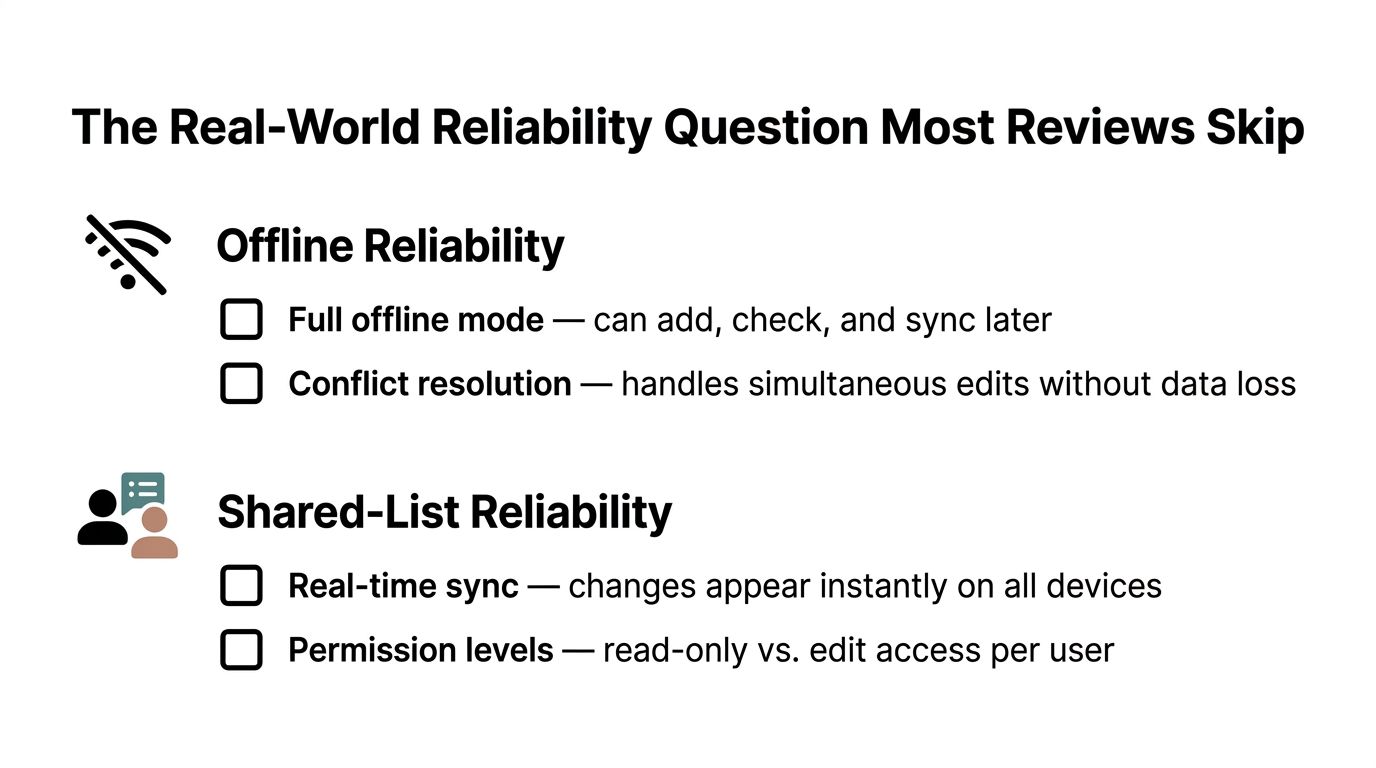
The useful question is whether the app preserves an accurate shared list when the shopping trip becomes messy.
Privacy and Data Control as a Buying Criterion
A grocery app can reveal more than your next shopping trip. Over time, it may hold information about what you eat, where you shop, dietary restrictions, allergies, household size, recipe choices, voice entries, and receipt history.
That makes privacy a core product requirement. An app that creates a detailed household profile should explain what it stores, who receives it, how long it keeps it, and whether it uses the information for advertising or model training.
Questions to answer before installation
- Data sharing: Does the company share purchase information with advertisers, analytics providers, or data brokers?
- Model training: Are recipe interactions, receipt scans, or voice inputs used to train models?
- Deletion: Can you delete individual fields, receipts, voice clips, or your entire account?
- Portability: Can you export your pantry, recipes, and shopping history in a usable format?
- Retention: Does the policy state how long receipts and audio files remain available?
- Account requirements: Can you use core list features without creating an account?
- Location access: Does the app need location permission, and can you refuse it without losing basic functions?
- Household sharing: Can a partner see the shopping list without seeing calorie records or sensitive dietary notes?
The privacy commentary on grocery list apps reflects growing attention to data minimization, advertising transparency, stronger account security, and privacy-preserving processing. Those expectations are especially relevant when an app infers health-related patterns from food choices.
A clear privacy policy should answer practical household questions in plain language. If it doesn't, treat that uncertainty as a product limitation.
Personalization is useful, but it isn't free of trade-offs. The more information an app collects, the more carefully you should evaluate account controls, access permissions, deletion options, and security practices.
Choosing the Right App for Your Routine
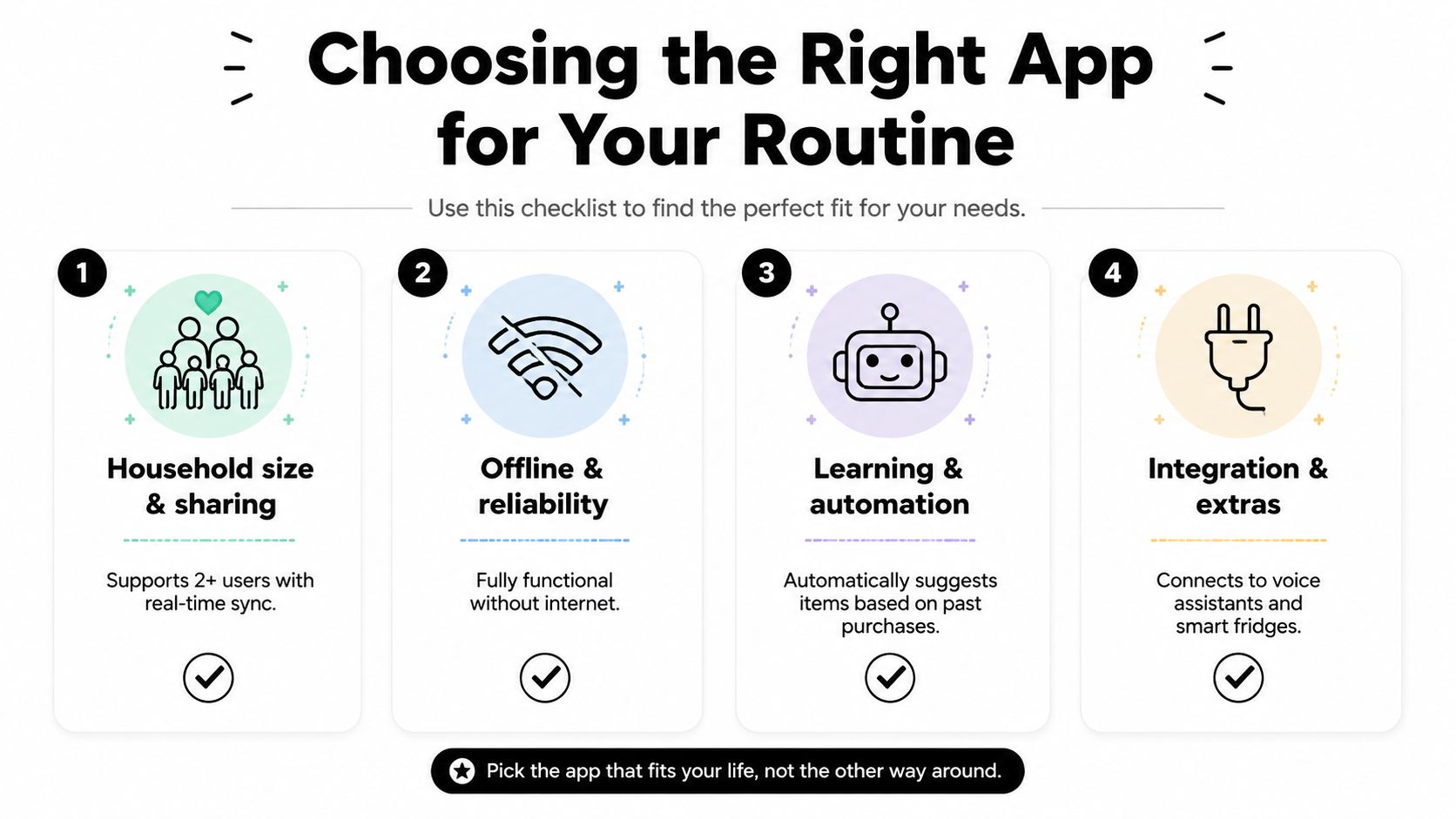
Compare apps by behavior, not by feature count. A candidate should prove its value during one ordinary shopping trip.
Start with the household model
Ask whether one person shops or several people edit the list. Test invitations, simultaneous edits, duplicate handling, read-only access, and whether each user sees a useful route through the store.
A family-first app should make shared ownership obvious. A minimalist app may be better for one shopper who wants quick entry and little setup.
Match the store format
If you use one supermarket, manual store-layout editing and aisle sorting may matter most. If you visit several stores, check whether each store can have its own section order. Farmers markets and specialty shops may require flexible categories rather than a fixed supermarket map.
Test nutrition and dietary behavior
For nutrition-focused routines, check whether recipes populate macro information automatically, whether servings can be adjusted, and whether dietary filters carry into substitutions. For allergies, inspect the actual ingredient warnings rather than assuming that a broad label such as “healthy” provides safety.
Check offline and learning behavior
Put the phone offline before shopping. Can you still add, check, and reorder items? After reconnecting, do changes appear correctly on the other device? Also test whether the app learns frequent purchases without repeatedly suggesting products you deliberately removed.
A budget-conscious routine can be checked with the grocery budget calculator, especially when planned meals and shopping decisions need to be considered together.
| App personality | Best match | What to verify |
|---|---|---|
| Minimalist | Solo shopper with a stable routine | Fast entry, clear categories, low setup |
| Data-rich | Nutrition-focused user | Pantry history, macros, expiry data, export controls |
| Family-first | Multi-person household | Real-time sync, permissions, conflict handling |
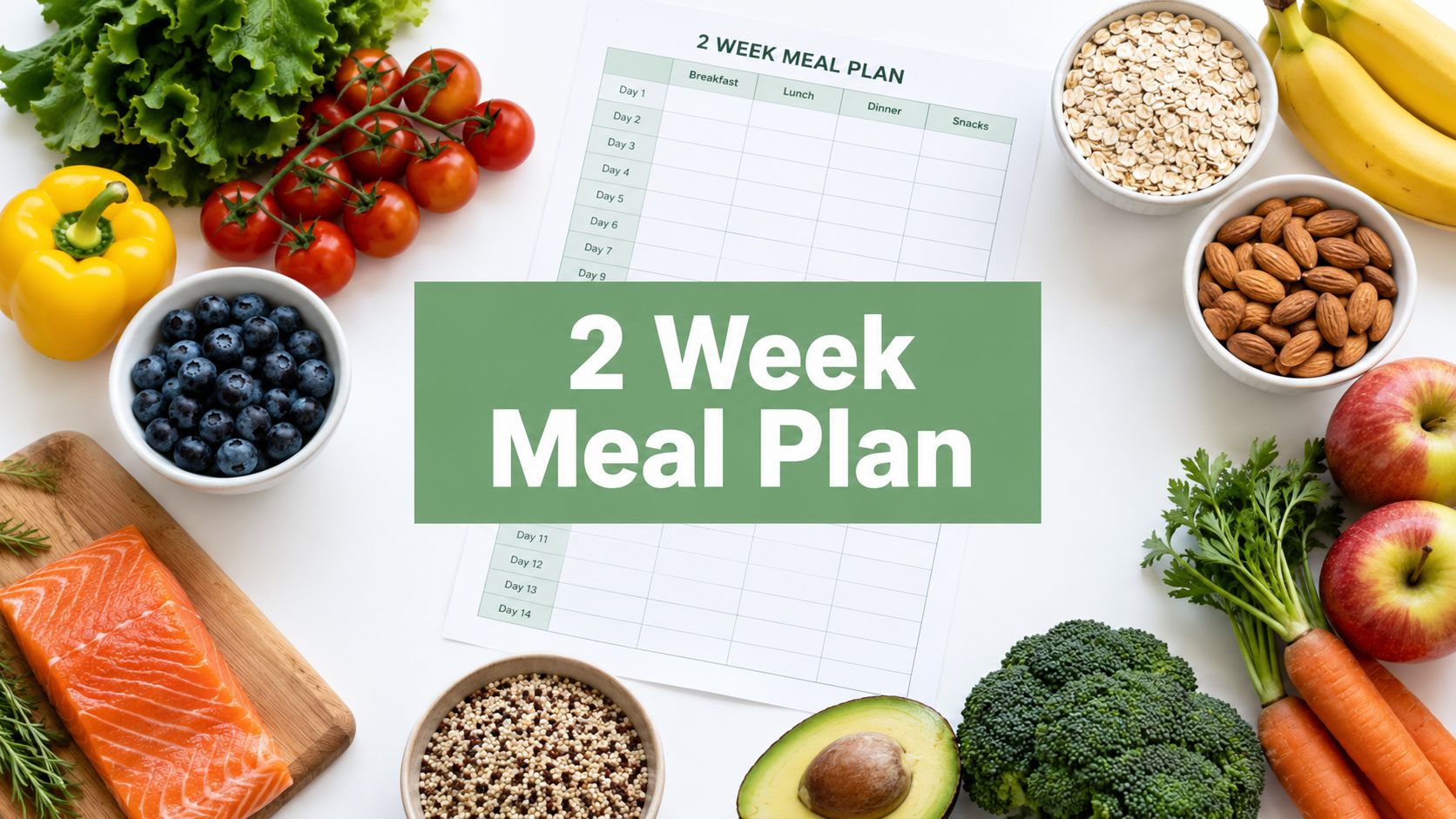
Getting Real Results in Your First Two Weeks
The first two weeks should be a calibration period, not a test of whether the app can read your mind. Give it enough accurate information to work with, then inspect every important output.
Days one through three
Build or import an initial pantry. Start with the ingredients you buy and use often, rather than attempting to document every shelf immediately. Verify dietary filters and allergies, then run one recipe-to-list conversion and check whether the quantities, categories, and aisle order make sense.
Correct errors as soon as you find them. An incorrect pantry entry can create a missing ingredient, while a poor store route can make a well-designed list frustrating to use.
Days four through seven
Override the app twice on purpose. Change an aisle position, remove a predicted staple, or adjust a quantity to reflect the way your household shops. Add a receipt or complete manual check-offs, then review the first pantry deductions instead of accepting them automatically.
Look for recurring mistakes. If the app repeatedly suggests an item you don't buy, mute or remove that suggestion. If it misses a staple, add a reliable reminder rather than hoping the prediction will correct itself.
Days eight through fourteen
Compare estimated and actual spending qualitatively, note duplicate purchases, and review which recommendations helped. Keep useful automation, mute noise, and disable features that create more work than they remove.
Override the app when a surprise sale changes your choice, when you decide to cook an unplanned recipe, or when household members disagree. A smart grocery list app should support judgment, not replace it.
Start with AI Meal Planner if you want personalized meal plans, dietary and allergy settings, macro and calorie information, and grocery lists generated from planned meals. Use the first two weeks to connect those plans with your pantry and shopping routine, then adjust the system until it reflects how you eat.
AI-powered nutrition
Get Your Personalized Meal Plan
AI creates the perfect meals for your goals, lifestyle, and taste.
Start Your Journej